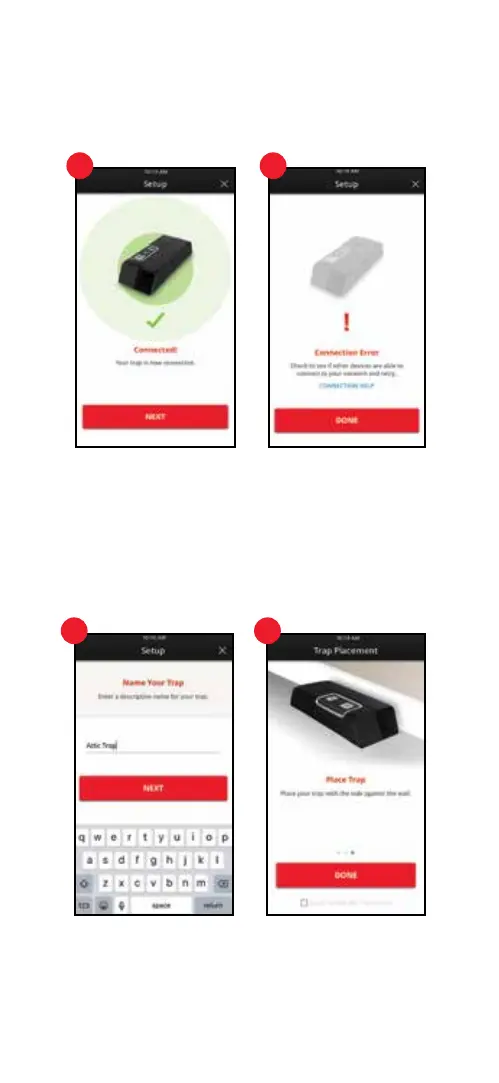
7. Connected
A notication appears when the trap successfully connects. Press the red “Next” button
and continue to step number 9.
8. Connection Error
If your trap did NOT successfully connect, visit the Trouble Shooting section of this manual
or click “Connection Help” on screen.
9. Name Your Trap
After successful connection, name the trap and press the red “Next” button.
10. Bait and Place Trap
Swipe through the three instruction screens on baiting and placing the trap, then press
the red “Done” button. Visit the Frequently Asked Questions section for more information
on baiting and placing the trap.
1. Monitor Trap
Stay up to date on trap activity from anywhere via your mobile device.
7 8
9 10
12 13


 To Next Page