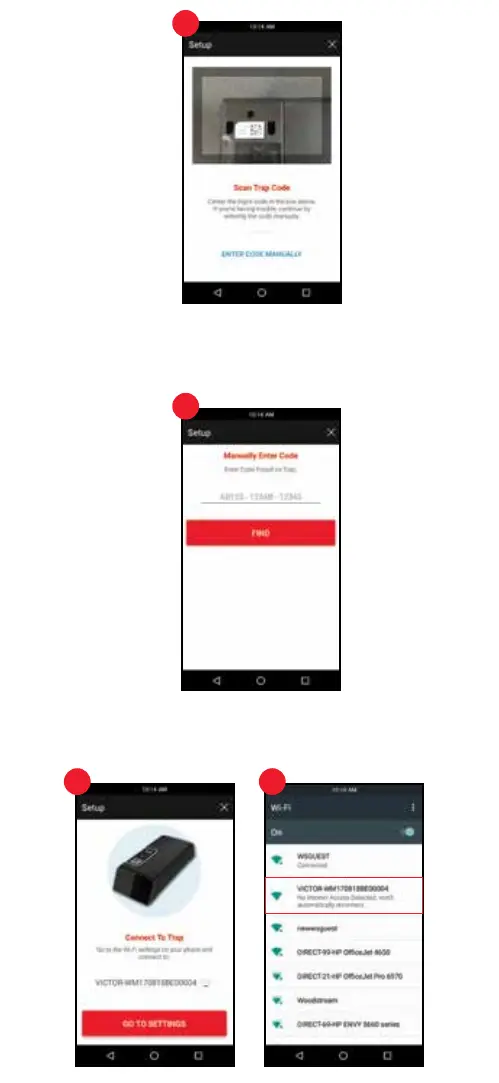
4. Connect Mobile Device to Trap
Go to Wi-Fi settings on your device by pressing the red “GO TO SETTINGS” button.
Select the trap, which is VICTOR followed by 15 alphanumeric digits. (Ex: VICTOR-
WM170818BE00004). Press “Connect”, then press the back button.
4 4
6
3
3
3. Scan Trap Code (Continued)
If you have trouble successfully scanning the code, try changing the distancte between
the trap and mobile device. Alternatively you can enter the 15 digit alphanumeric code
manually by pressing the “ENTER CODE MANUALLY” text found on the bottom of the
screen. Enter the serial number found next to the QR code on your trap.


 To Next Page