5 5
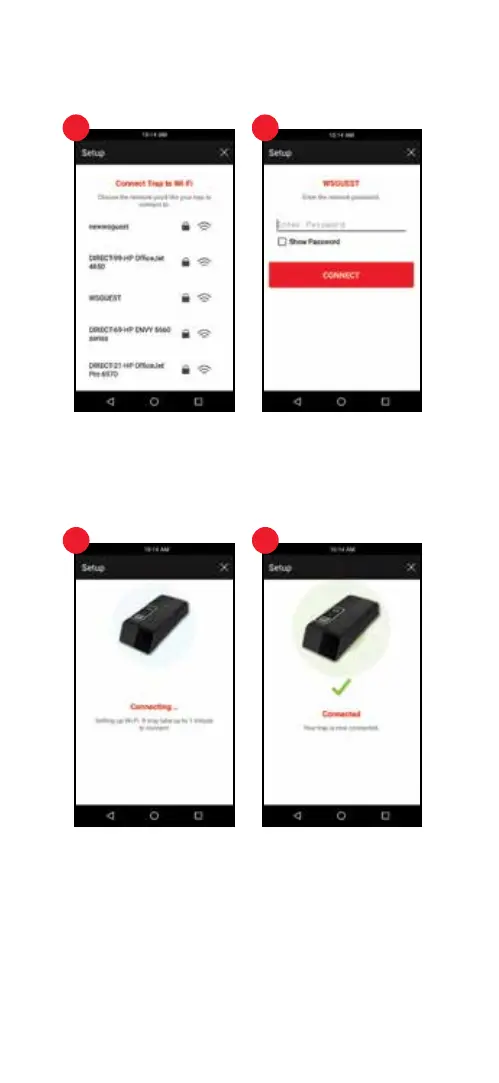
6. Connected
A notication appears when the trap successfully connects. Press the red “Next” button
and continue to step number 8
7. Unable to Connect
If your trap did NOT successfully connect, go to the Settings menu of your mobile device,
then select the Wi-Fi option. Select more options (often can be found by pressing the
options button in the top right corner) then select “Saved Networks.”
6 6
7
5. Connect Trap to Wi-Fi
Select the Wi-Fi network to connect the trap to.
Enter the network password for the Wi-Fi network, then press the red “Connect” button. It
may take up to 1 minute to connect.


 To Next Page