EasyManua.ls Logo

Victor V86P - Hard Disk Drive; Installation

Victor V86P
50 pages
Print Icon
To Next Page IconTo Next Page
To Previous Page IconTo Previous Page
Loading...
5.2 Hard Disk Drive with
Controller
5.2.] Installation
Turn
POWER switch off.
Close the LCD cover and make
sure that it’s latched.
Remove the screws
as shown
in
figure
5—1.
Remove the
top
cabinet as shown in
figure
5-2.
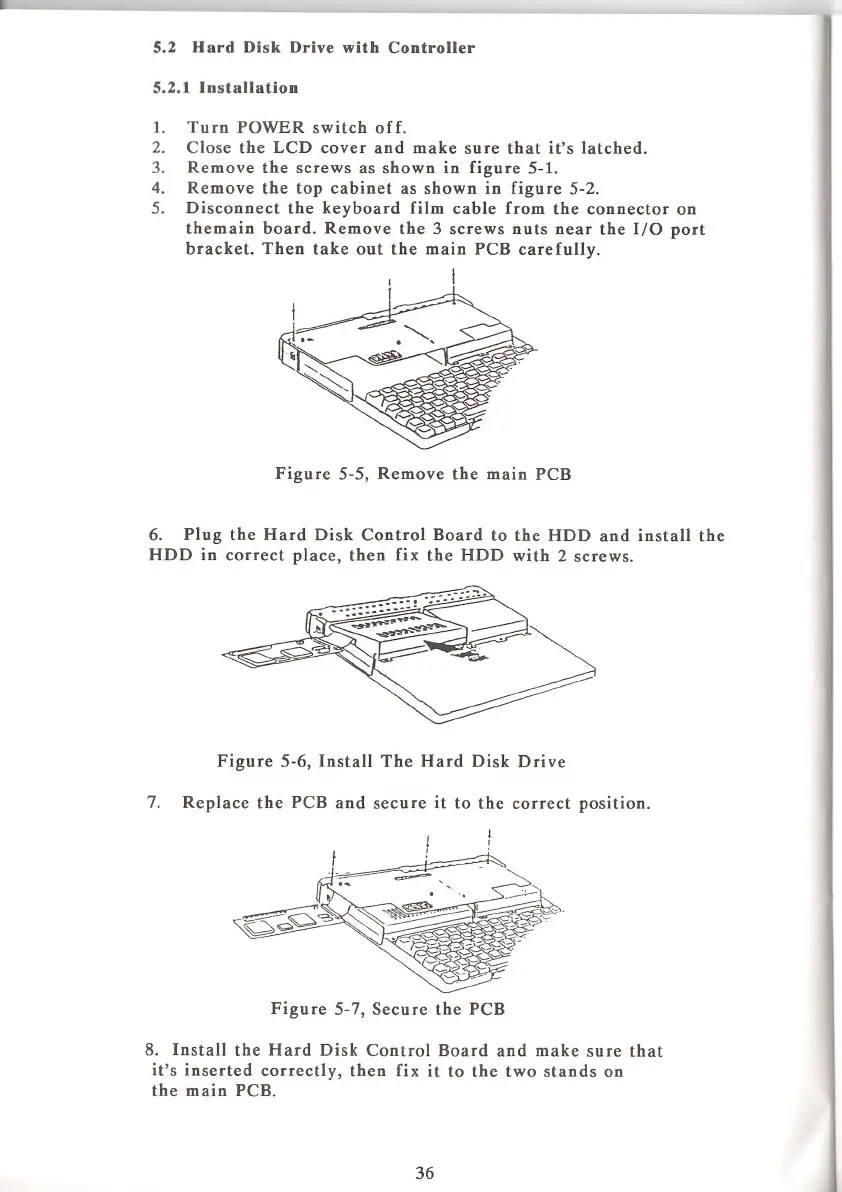
Disconnect the
keyboard
film
cable
from the connector
on
themain board. Remove the 3
screws nuts near
the
I/O
port
bracket. Then take
out the main PCB
carefully.
P‘FS‘E‘JT‘
Figure
5—5,
Remove the
main PCB
6.
Plug
the
Hard
Disk
Control
Board to the HDD
and install the
HDD
in
correct
place,
then
fix
the
HDD
with 2
screws.
Figure
5-6,
Install
The Hard
Disk Drive
7.
Replace
the PCB
and secure
it to
the correct
position.
Figure
5-7,
Secure the
PCB
8.
Install the Hard Disk
Control Board and
make sure that
it’s inserted
correctly,
then fix
it to the two stands on
the
main PCB.
36

Table of Contents