EasyManua.ls Logo

Victrola Dune VH-35 - User Manual

Victrola Dune VH-35
22 pages
Print Icon
To Next Page IconTo Next Page
Loading...
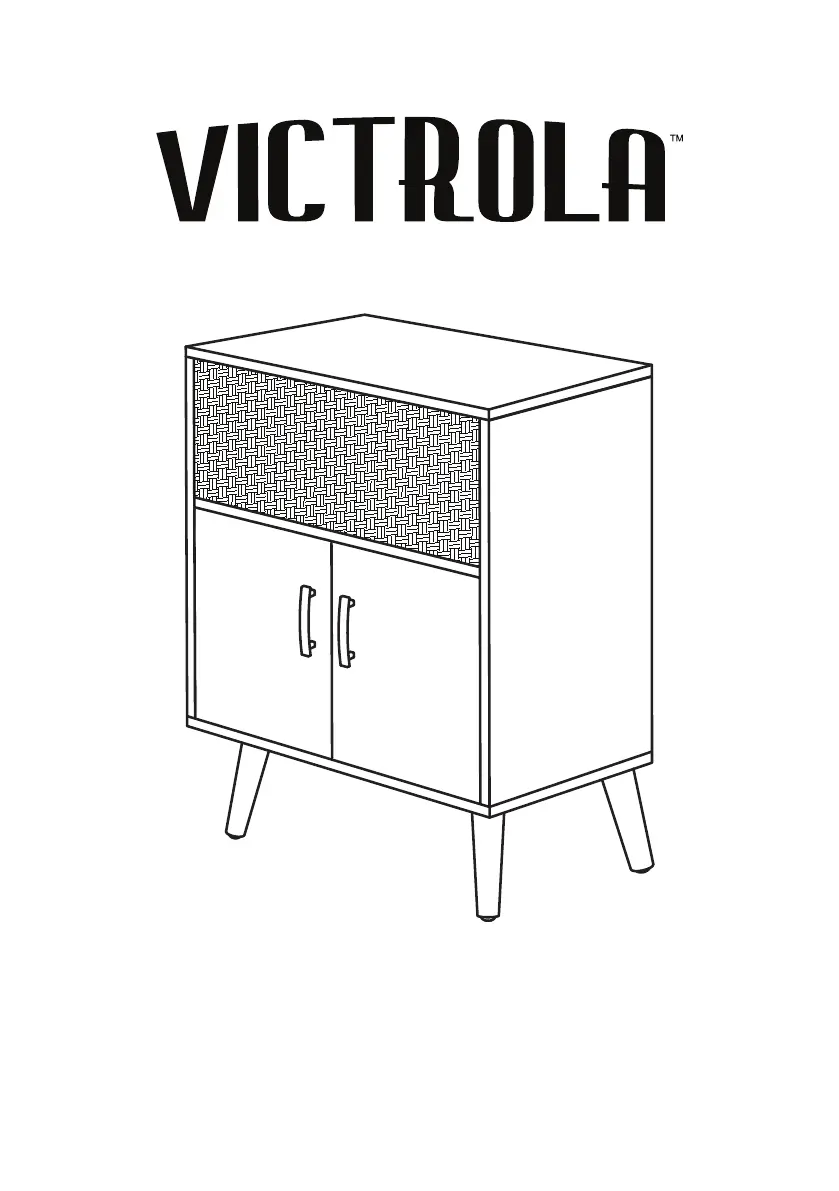
DUNE
BLUETOOTH SPEAKER SIDE TABLE
Model: VH-35

Questions and Answers

  • S
    steven33Aug 1, 2025
    Why is there no sound output from my Victrola Dune VH-35 Speakers?
    • J
      John EllisAug 1, 2025
      If your Victrola speakers aren't producing any sound, there might be a few reasons: * The volume could be too low. * The sound might be muted. * The input selector might not be matched to the playback source. To resolve this: * Adjust the volume to a suitable level. * Cancel the mute function. * Select the correct input source to match your device.
  • J
    Justin StewartAug 5, 2025
    Why is there no sound coming from my Victrola Bluetooth speakers?
    • F
      fstoneAug 6, 2025
      If your Victrola speakers aren't producing any sound, ensure the unit is switched to Bluetooth mode. Also, make sure the volume is turned up both on your device and the speakers themselves. If the issue persists, your device might be too far from the unit or there could be an obstacle in the way. Try moving closer to the speakers. As a last resort, turn both your Bluetooth device and the speakers off, then power them back on.
  • P
    Patricia MasonAug 9, 2025
    Why do my Victrola Dune VH-35 have noise/distortion?
    • S
      sheila39Aug 10, 2025
      If your Victrola speakers are producing noise or distorted sound, it could be due to interference from another device. Try turning off other appliances nearby and relocating the speakers.
  • J
    jenniferlambAug 14, 2025
    What to do if Victrola Dune VH-35 have a lot of static?
    • C
      Cindy MartinAug 14, 2025
      If your Victrola speakers have a lot of static, it might be because your device is too far away. Try bringing your device closer to the unit.
  • J
    Judith EdwardsAug 18, 2025
    What to do if my Victrola Dune VH-35 Speakers fail to respond?
    • L
      Linda NolanAug 18, 2025
      If your Victrola speakers fail to respond, it might be due to external factors like electrostatic discharge. To resolve this, disconnect the power cord and any external audio devices. Then, plug the power cord back in after waiting for one minute.
  • D
    Dawn HolmesAug 23, 2025
    How to fix Victrola speakers that won't power on?
    • C
      Cole WolfAug 23, 2025
      If your Victrola unit will not turn on, ensure that it is connected to the AC power supply.
  • C
    Christina GarciaAug 27, 2025
    What to do if my Victrola Dune VH-35 Speakers will not turn on?
    • T
      Tamara BerryAug 27, 2025
      If your Victrola unit will not turn on, check the power switch. If the power switch is not turned on, turn the power switch to the On position.

Summary

IMPORTANT SAFETY INSTRUCTIONS

CAUTION; AVERTISSEMENT Symbols

Explains hazard symbols and warnings for electric shock.

ASSEMBLING YOUR FURNITURE

Installing the Handles

Instructions for attaching the door handles using screws.

INSTALLING THE TIPPING RESTRAINT

POWERING THE UNIT

PRODUCT OVERVIEW

LED STATUS

REMOTE CONTROL

USB OPERATION

BLUETOOTH OPERATION

Connecting and Pairing

Steps to connect and pair a Bluetooth device with the unit.

HDMI OPERATION

BLUETOOTH MULTI-PAIR FEATURE

Setup and Connection

Guide to pairing primary and additional units for synchronized audio.

Operation Modes and Controls

Details how to operate in multi-pair mode across different input sources.

Multi-Pair Troubleshooting

Steps to resolve issues when pairing multiple Victrola units.

SPECIFICATIONS

TROUBLESHOOTING GUIDE

Victrola Dune VH-35 Specifications

General IconGeneral
BrandVictrola
ModelDune VH-35
CategorySpeakers
TypePortable Bluetooth Speaker
Power Output5W
Battery Life12 hours
Weight1.5 lbs
Power SourceRechargeable Battery
ConnectivityBluetooth, AUX
Speaker TypeFull-range

Related product manuals