8 9
6. Voice Assistant
A. Double press button to enter voice assistant.
B. Double press button to exit from voice assistant.
7. Charging Description
A. For smart devices that do not support quick charge, the
default output is 5V/2.4A.
B. For smart devices that support quick charge, the maximum
charging voltage and current of USB QC3.0 are DC 5V/3A,
9V/2A , 12V/1.5A .
USB Type-C supports PD 20W fast charge. The maximum
charging voltage and current are DC 5V/3A, 9V/2.22A,
12V/1.5A.
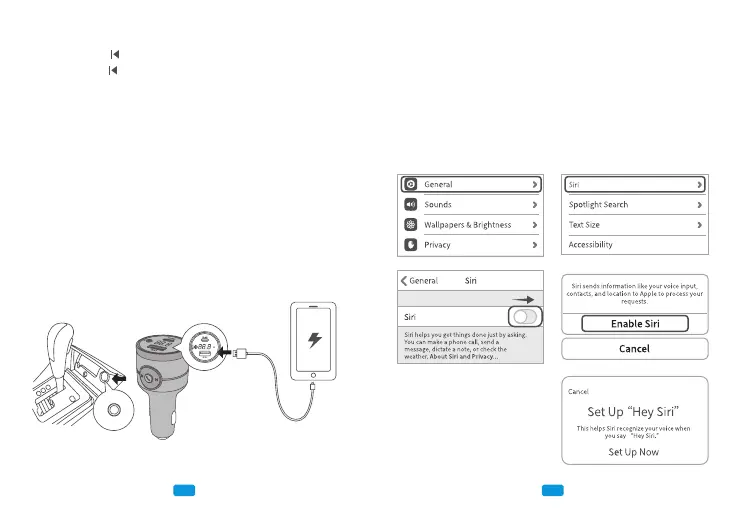
7.1 USB-A QC3.0 Quick Charge
7.2 Type-C PD 20W Fast Charge
For Android devices, when you’re going to use your voice to di-
rectly wake up the voice assistant, please turn up your phone’s
and BH501’s volume to their maximum volume level first, and
adjust the car speaker’s volume according to your needs.
Friendly Tips:
For iPhone, the instructions of “Hey Siri” function can refer to
following:
A. Turn on Siri settings on your phone.
B. Complete the voice rec-
ognition according to Siri
instructions.



 To Next Page