

EasyManua.ls Logo

VIDATECO OL260G - User Manual

VIDATECO OL260G
7 pages
Print Icon
To Next Page IconTo Next Page
Loading...
OL260G/L260GS Laminator
User Manual
Please Read the Instruction Entirely Before Use
Do Not Discard and Keep for Future Reference
Customer Service Email: service@vidateco.com
Question and Answer IconNeed help?

Do you have a question about the VIDATECO OL260G and is the answer not in the manual?

Overview

The VIDATECO OL260G/L260GS Laminator is a versatile device designed for both hot and cold lamination, suitable for protecting various documents from business cards to A4 size. It is engineered for ease of use and efficient operation, making it a practical tool for home or office environments.

Function Description:

The laminator's primary function is to encapsulate documents in a protective plastic pouch, safeguarding them from wear and tear, moisture, and fading. It supports both hot and cold lamination methods, offering flexibility depending on the type of document and pouch used. Hot lamination involves heating the adhesive on the pouch to seal it around the document, while cold lamination uses pressure-sensitive pouches that do not require heat. The device features a "Jam Release Lever" to address any pouch jams, ensuring smooth operation.

Important Technical Specifications:

  • Lamination Type: Hot / Cold lamination
  • Warm-Up Time: Approximately 2 minutes for hot lamination.
  • Min Pouch Thickness: 3 mil (2 x 1.5 mil)
  • Max Pouch Thickness: 5 mil (2 x 2.5 mil)
  • Max. Lamination Thickness: 0.024 inches (0.6 mm)
  • Laminating Speed: 11 inches (280 mm) per minute
  • Jam Release: Equipped with a Jam Release Lever
  • Min Pouch Width: 2.32 inches (suitable for Business Cards)
  • Max Pouch Width: 9 inches (suitable for A4 documents)
  • Volts / Power: 120V / 60 Hz / 2.8A
  • Rollers: 2 Rollers
  • Weight: 1.98 lb
  • Dimensions (L x W x H): 12.99 x 4.25 x 2.36 inches

Usage Features:

The laminator is designed for straightforward operation. Before use, it should be placed on a suitable table with enough space behind it for the laminated documents to exit. It operates with pouch thicknesses ranging from 3 mil to 5 mil and can handle documents from business card size up to A4.

For hot lamination, users select the 'HOT' setting and wait approximately 2 minutes for the green 'READY' light to illuminate. The sealed edge of the hot pouch is then inserted first into the entry slot. The machine processes the pouch, and the laminated document exits from the rear. It's noted that the 'READY' light may temporarily go out during lamination as heat is absorbed, which is normal. After continuous lamination of 3-5 sheets, a brief 1-2 minute pause is recommended to allow the laminator to reheat.

For cold lamination, users select the 'COLD' setting, and the green 'READY' light will turn on immediately. The sealed edge of the cold pouch is inserted first into the entry slot. No further operations are needed until the pouch exits. It's important to note that after hot lamination, the machine must be allowed to cool down to room temperature before performing cold lamination. The pouches provided with the device are specifically for hot lamination.

After lamination, the pouch will be hot and soft upon exit and should be removed immediately and placed on a surface to cool down, which helps ensure a better seal. The laminator should be switched to 'OFF' and unplugged from the power supply after use. For optimal longevity, it's recommended to switch off the laminator for at least 15 minutes to cool down after approximately half an hour of laminating.

Safety Precautions:

  • Keep the device away from children and pets.
  • Avoid inserting foreign objects (gloves, body parts, clothing, hair) into the laminator openings.
  • Always insert the sealed edge of the pouch first.
  • Ensure the machine is on a suitable, stable table.
  • Keep the machine away from heat and water sources.
  • Turn off and unplug the machine when not in use.
  • Do not touch the top of the machine during lamination.
  • Do not laminate heat-sensitive documents (e.g., tickets) on the hot setting.
  • Do not laminate staples or other metal objects.
  • Do not use aerosol dusters or cleaners.
  • Do not operate the appliance with a damaged plug or power cord.
  • Do not laminate an empty pouch.
  • Do not leave the power cord in contact with hot surfaces.
  • Do not use any lubricant in the machine.
  • A slight smell during lamination is normal.

Maintenance Features:

The laminator is designed for easy maintenance to ensure optimal performance.

  • Cleaning Rollers: To remove residual glue from the rollers, press the 'HOT' button and wait for the 'READY' light to turn green. Then, insert the included cleaning sheet for one round. This sheet can be reused multiple times.
  • Exterior Cleaning: After switching off and allowing the machine to cool down, the exterior surface can be cleaned with a damp cloth. It is crucial not to use solvents or flammable materials for cleaning.
  • Regular Cleaning: For optimum performance, regular cleaning and maintenance of the machine are recommended.

Troubleshooting:

The manual provides a troubleshooting guide for common issues:

  • No Red Power on LED: Check if the machine is plugged in and turned on. If the problem persists, contact customer service.
  • Pouch Damaged After Lamination / Adhesive on Rollers: Run the cleaning sheet through the laminator after the 'READY' light turns green to remove residual glue. If rollers are damaged, contact customer service.
  • Pouch Does Not Completely Seal Item: Ensure the pouch thickness is between 3 mil and 5 mil, and the total lamination thickness does not exceed 0.024 inches.
  • Pouch Lost in Machine (Jammed): Pull the Jam Release Lever and simultaneously remove the pouch by hand. This can occur if the pouch was inserted open end first, not centered, an empty pouch was used, or if it was not straight upon entry. Damaged rollers or adhesive on rollers can also contribute to jams.

Disposal Instructions:

The device features a recycling logo, indicating that it should not be disposed of as general garbage. To protect the environment and human health, waste electrical products and packaging materials should be disposed of correctly according to local regulations.
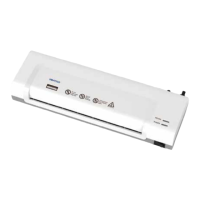
VIDATECO OL260G Specifications

General IconGeneral
BrandVIDATECO
ModelOL260G
CategoryLaminator
LanguageEnglish