Guangzhou Video-Tech Electronics Co., Ltd
Skype: v-tec02
Email: support@v-tec.com.cn
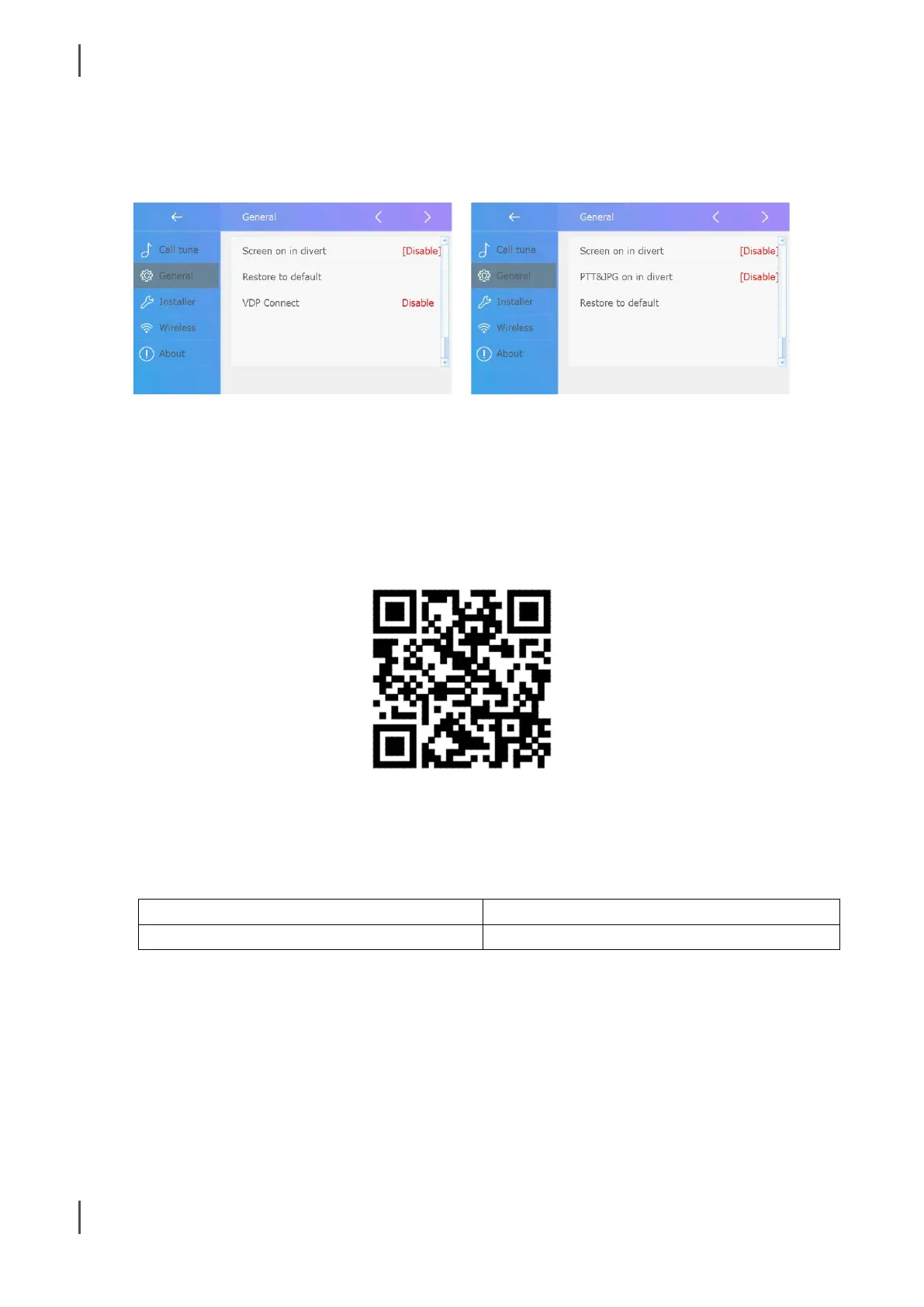
3. 1.8.0 VS 1.6.9
After update to 1.8.0, menu changes as below:
“PTT&JPG on in divert” has been remove, on V1.8.0 “Press to talk” is a default setting.
“VDP Connect” on V1.8.0 while enable means the monitor is work with app “VDP Connect” and use new
media transmit protocol to works. (By default, is disable)
4. APP “VDP Connect” with V1.8.0
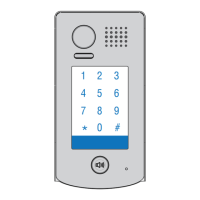
Scan and download IOS app “VDP Connect” as below, android is not release yet.
By using “VDP connect” enable on DX471 and works with new “VDPConnect” APP, system will using new
media transmit protocol, which has better experience than “2Easy”
Due to the Android version is not release, or there are still customer using “2Easy”, while using V1.8.0 you
will have:


 To Next Page