Need help?
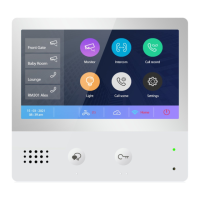
Do you have a question about the Video-Tech DX471 and is the answer not in the manual?
Download the English standard version of the firmware for DX471, DX439, or DX47.
Copy the firmware update folder directly to the root directory of an SD card (max 32G).
Slide out and open the hatch on the rear side of the DX471, and insert the SD card.
Power on the monitor, navigate to Settings > General > SD card, and press 'Firmware Update'.
Wait for the long beep and red flashing light; do not power off during the 2-minute update.
After update, go to Settings > General Setting > Restore to default and touch 'Restore and backup' twice.
Check 'Settings > About' for 'S/W Ver: V1.8.0' to confirm the latest firmware is installed.
Details menu differences and new features like 'Press to talk' and 'VDP Connect' in V1.8.0.
Enables VDP Connect app for better media transmit protocol, with iOS support.
Explains usage scenarios for 'VDP Connect' enabled/disabled with iOS and Android devices.
Configure Call Kit for iOS system calling UI integration with VDPconnect APP.
Enable preview of video image before pickup calls when Call Kit is disabled.
 General
| Brand | Video-Tech |
|---|---|
| Model | DX471 |
| Category | Intercom System |
| Language | English |

 To Next Page