41
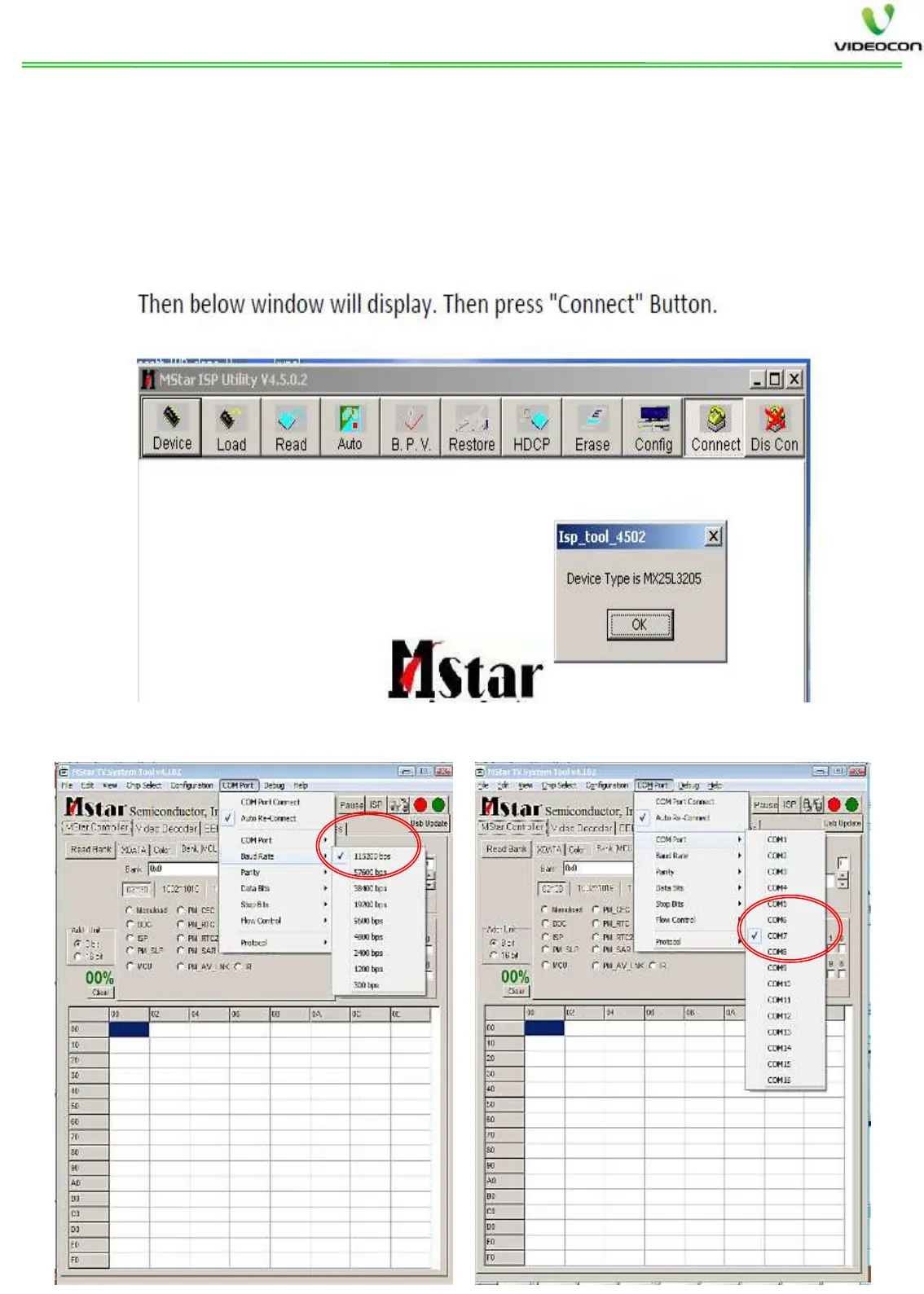
COM Port and Baud Rate selection from MSTV Tool
Step4: - After opening tool, Press connect. If Jig is properly connected, then it
will select the chip automatically. If chip is not selected automatically, then go to
Device option in Jig and select the Chip from SPI list based on the flash type no.
(the device may differ than mentioned in this manual).
Then open the MSTV tool and select Baud rate 11500 (as shown below) and
select the COM Port (confirm COM port from your Computer properties, may
be different for different PC).


 To Next Page