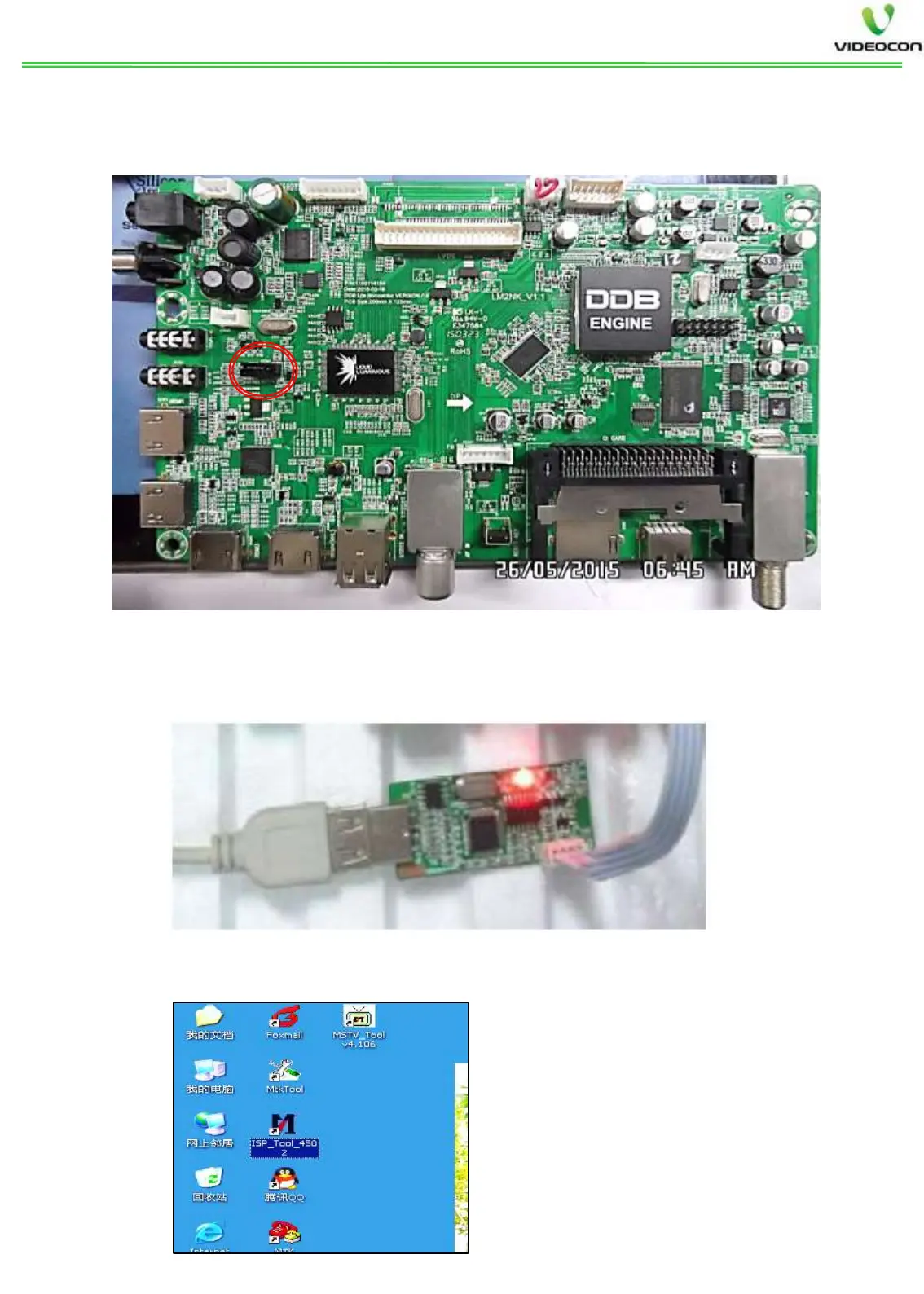
Step1: - First Connect MST SW loading Jig to USB port of PC and 04 Pin Header
XS352 on chassis (near AV socket). SW loading jig is common with MST719 Jig.
MST Tool is also same as MST719.
Step2: - Kindly confirm pin configuration of Jig conn. should be
+5V/3.3V, RXD, TXD, GND, which is same as MST719 Jig. Connect the
Jig to chassis, then Red LED indicator on Jig will glow if it is connected
properly.
40
SW INSTALLATION THROUGH JIG: -
Step3: - Open ” ISP_Tool_4502.exe” on your PC . (Tool version may be
different).



 To Next Page