
 Need help?
Do you have a question about the Videology 24C1.3XW and is the answer not in the manual?
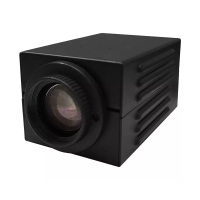
The Videology 24C1.3XW is an Original Equipment Manufacturer (OEM) OSD (On-Screen Display) camera, designed for integration into various systems requiring high-quality analog video. It features a 1/3" 1.3MP CMOS sensor, delivering 800 TV lines in color and 900 TV lines in black and white. The camera supports both NTSC and PAL scanning systems, with respective scanning frequencies of 15.734 KHz (horizontal) and 59.94 Hz (vertical) for NTSC, and 15.625 KHz (horizontal) and 50.00 Hz (vertical) for PAL. It boasts a signal-to-noise ratio of 52dB (AGC Off, ON) and a minimum illumination of 0.1 Lux in color and 0.01 Lux in black and white. The iris control is electronic/DC auto iris, and the shutter speed ranges from 1/60 to 1/160,000 seconds for NTSC, and 1/50 to 1/160,000 seconds for PAL. The camera operates on a 12VDC +/- 10% power supply.
The camera's functionalities are primarily controlled via an OSD menu, accessible through a built-in joystick or button pad.
Lens Settings (4.4 Lens): This section allows configuration of lens settings. For manual Iris lenses, the ELC (Electronic Light Control) mode should be selected. For Iris controlled lenses, ALC (Automatic Light Control) is used. In ALC mode, the camera automatically optimizes lens and shutter control for indoor or outdoor conditions. The MODE setting offers "INDOOR," "OUTDOOR," and "DEBLUR" options. "INDOOR" fixes Iris and shutter values to prevent a "rolling effect." "OUTDOOR" allows flexible Iris and shutter settings to adjust to brightness. "DEBLUR" sets the shutter to fixed values to remove blur.
Exposure (4.5 Exposure): This function defines how the Auto Exposure operates. It includes:
White Balance (4.6 White Balance): This function adjusts color temperature.
Backlight (4.7 Backlight): This function helps obtain clear images when a strong backlight is behind the object.
DNR (4.8 DNR): Improves picture quality by filtering noise generated under low light conditions. Levels can be set to OFF, LOW, MIDDLE, or HIGH.
Day & Night (4.9 Day & Night): This function adapts the camera to low light conditions.
Image (4.10 Image): Optimizes image quality.
Special (4.11 Special):
DET. SETTING: Includes SENSITIVITY (0-20) for motion sensitivity, OBJ. KEEP LV (0-60) to maintain motion detection with less precision, MOTION EST. (0-21) for motion estimation, and SIGNAL OUT (ON/OFF) for GPIO signal output.
WINDOW TONE (0-6): Sets tone of mask area for motion detection exclusion.
WINDOW ZONE (0-3): Sets up window zone.
WINDOW USE (OFF/ON): Sets up window use.
DET H-POS (0-60), DET V-POS (0-40), DET H-SIZE (0-41), DET V-SIZE (0-33): Set up the horizontal/vertical start point and size of the detecting area.
SHAKING (ON/OFF): Outputs "Camera Shaking!!!" alarm if the camera shakes.
SHAKE SCALE (0-20): Shaking detection sensitivity.
BRIGHT CHG. (ON/OFF): Outputs "Brightness predict where object appear again" if brightness changes around the camera.
BRIGHT SCL. (0-20): Brightness change detection sensitivity.
MOVING (0-240): Executes Zoom-In/Out as much as set frame value.
ZOOM IN (0-240): Maintains Zoom state.
STANDBY (0-240): Maintains state with no Zoom execution.
SYNCHRONOUS (OFF/ON): Executes Zoom according to the period.
TRACKING (OFF/ON): Continues tracking motion area and executes Zoom-In/Out.
REPEAT (OFF/ON): Repeats already executed Zoom.
ZONE NUM (0-15): Selects a mask area.
ZONE DISP (ON/OFF): Activates/deactivates privacy masks.
H-POS (0-60), V-POS (0-40), H-SIZE (0-40), V-SIZE (0-40): Define horizontal/vertical start position and size of the privacy mask.
Y LEVEL (0-20), CR LEVEL (0-20), CB LEVEL (0-20): Define brightness, red amount, and blue amount of the mask color.
CAM ID (0-255): Camera identification number.
BAUD RATE (2400-115200 bps): Selects baud rate.
System (4.12 System):
Exit (4.13 Exit): Saves current settings and exits the setup menu.
 General
| Brand | Videology |
|---|---|
| Model | 24C1.3XW |
| Category | Network Hardware |
| Language | English |

 To Next Page