www.vietapro.com
Charging Mode
Putting the earphone in and out of the battery compart-
ment
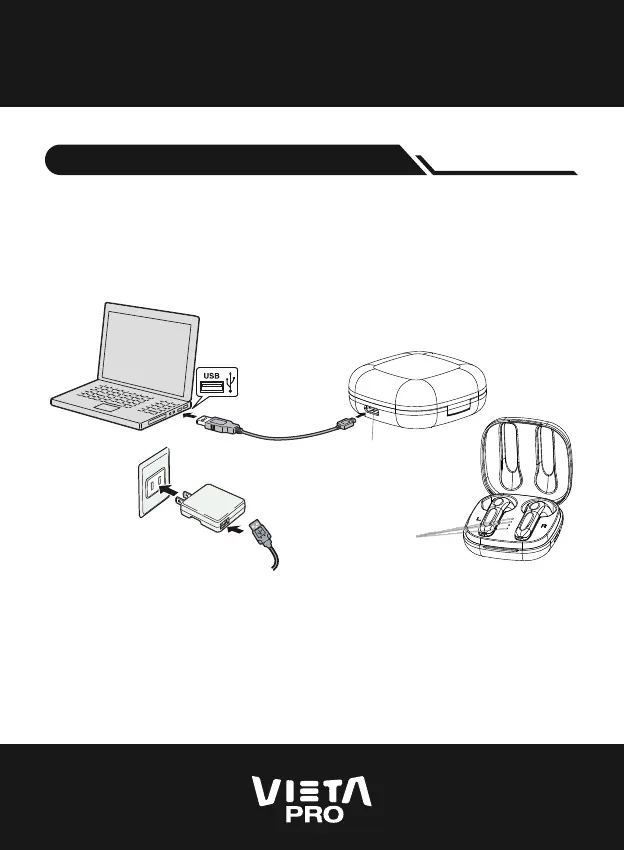
When the earphone is placed into the charging case, it will
turn o automatically and start charging. The red indicator
will be on and turned o after charging is finished.
Use the USB cable to connect with computer
Type-C Charging port
Use the USB cable to connect
with mobile phone charger
LED Indicator


 To Next Page
 Loading...