9
D. OPERACIONS
Tostartupthissystemandenjoythemusic,please
takefollowingsteps:
1.Connectthepoweradapterbetweenthe
transmitterandpoweroutlet,theLEDonthe
transmitterwilllightupingreen.
2.Connectthetransmitterwithyouraudiosource,
turnthesourceON,theLEDwillturnfromGreento
Blue.
3.TurnontheheadphonereceiverbypressingON/
OFFswitch,LEDwillthenashinblue.
4.IftheLEDontheheadphoneisOFFimmediately,
pleaseputtheheadphonebacktothetransmitterfor
recharging.
5.Whentheaudiolinkisestablished,LEDsturnsto
Blue.
6.IftheLEDontheheadphonestillashesinblue,
pleasecheckwithtroublesshootingprocesses.
Pairing the Headphone receiver with the
transmitter
IftheLEDonheadphoneashesinblueanddoesnot
work,startthePairingprocessasbelow:
1.PressthePairbuttononthetransmitterandthe
headphonesimutaneouslyfor3secondsuntilthe
BlueLEDsashes.TheLEDswillchangetosolid
Bluewhenpairingprocessisnished.
Transmitter Auto Stand by and Headphone
Auto Shut off
1.Thetransmitterwillautomaticallyturntostand
bymodeafterapproximately4minutesifthereisno
audiosignal,orthesignalthatitreceivesfrom
theaudiosourceistooweakforproperreception.If
howeverthesignalreturnstoanacceptablelevel,the
transmitterwillautomaticallyswitchbackon.
2.Theheadphonereceiverwillautomaticallyshut
offifthereisnosignalfromthretransmitterafter15
minutes.
E.Charging the batteries
1.SwitchOFFthereceiverheadphone.
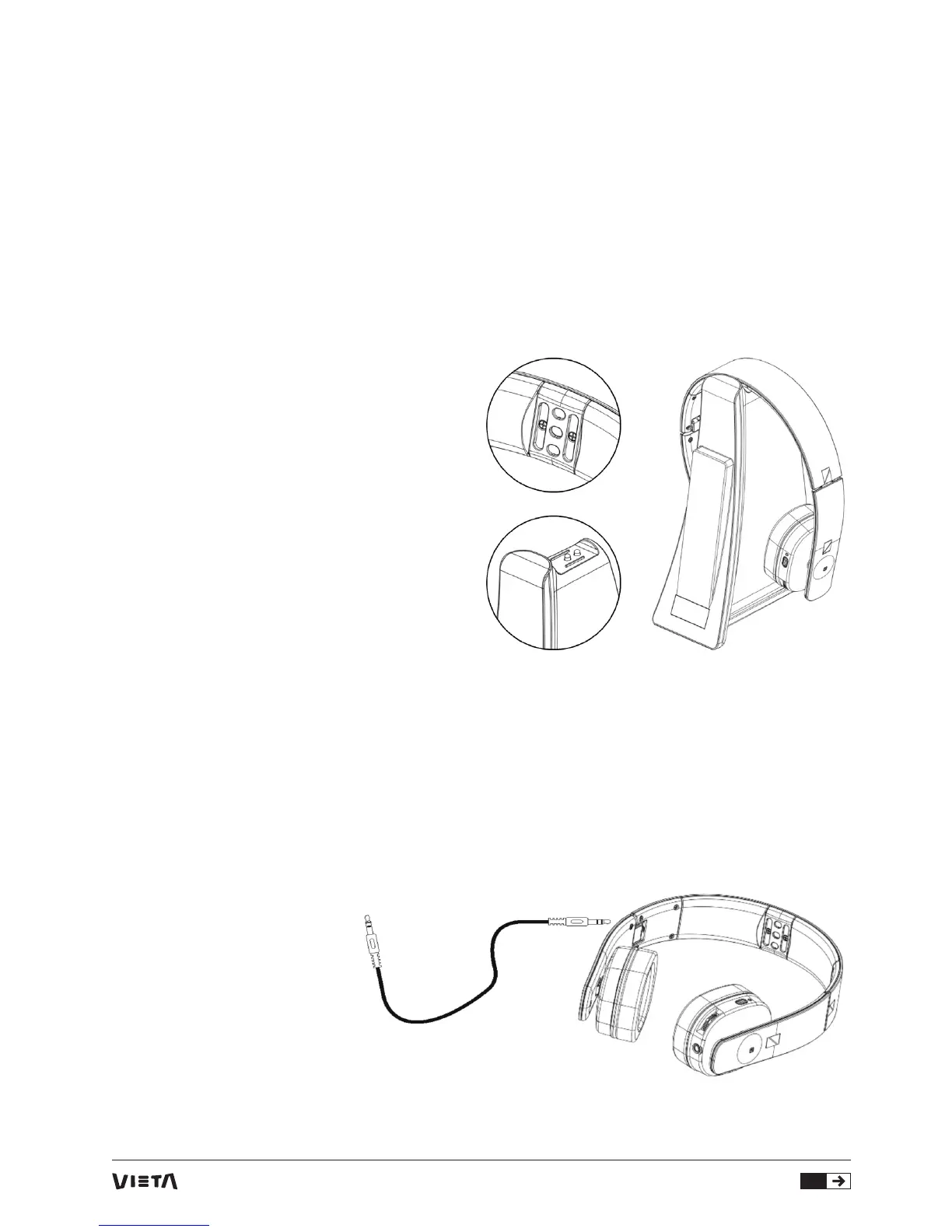
2.Torechargetheheadphonebatteries,placethe
headphoneonthetransmitter,ensurethatthe
chargecontactstouchthetransmitter’scharge
pins.TheLEDontheheadphonewilllightupinred,
whenchargingisnishedtheheadphoneLEDwill
turngreen.
3.Chargethebatteriesintheheadphonefor5
hourswhenuseforthersttime.Theredindicator
lightwillbeinsolidredduringbatterycharging.
F.Wired Headphone Application
Theheadphonecanbeappliedinwiredmode.Simply
connecttheheadphoneandtheaudiosourcebythe
supplied3.5mmto3.5mmaudiocable.Youwillthen
enjoytheaudioinwiredmode.



 To Next Page