Wireless Headphone
8
INTRODUCTION
A. FEATURES
1.2.4GHzFHSSDigitaltechnology.
2.Highqualitystereosoundthatisvirtually
interference-free.
3.Transmissionisnotrestrictedsolelytolineofsight
4.DigitalPairingSystemonHeadphone&
Transmitter.
5.ElectronicVolumeControlonHeadphones.
6.Built-inPin-chargerontransmitter.
7.AutoShut-offonheadphone.
8.AutoOn/OffRFfunctionontransmitter.
9.3.5mmLineinfeatureforwiredheadphone
application.
10.Operatingdistanceupto50meters.
B. PACKAGING
1.RFreceiverheadphone
2.RFtransmitter
3.6V300mApoweradapter
4.3.5mmto3.5mmcable
5.3.5mmjacktoRCAcable
6.InstructionManual
C. INSTALLATION
TRANSMITTER
1.Connectthepoweradapterprovidedtoan
poweroutlet.
2.ConnectthepoweradaptertotheDCINinput
connectorlocatedonthetransmitterrearpanel.
3.Usetheaudiocable3.5mmjacktoRCAcableto
connectthetransmitterwiththeaudiooutputson
audiosourceslikeTVset,Hi-Fisystem,iPods,VCR
orradio-cassetteplayer.
4.TurntheON/OFFswitchtoONandtheGreen
LEDindicatorwilllightup.TheBlueLEDindicator
willlightupwhenaudiosourceison.IftheBlue
indicatorLEDremainsoff,switchontheaudio
sourceandincreaseitsoutputleveluntiltheBlue
indicatorlightup.
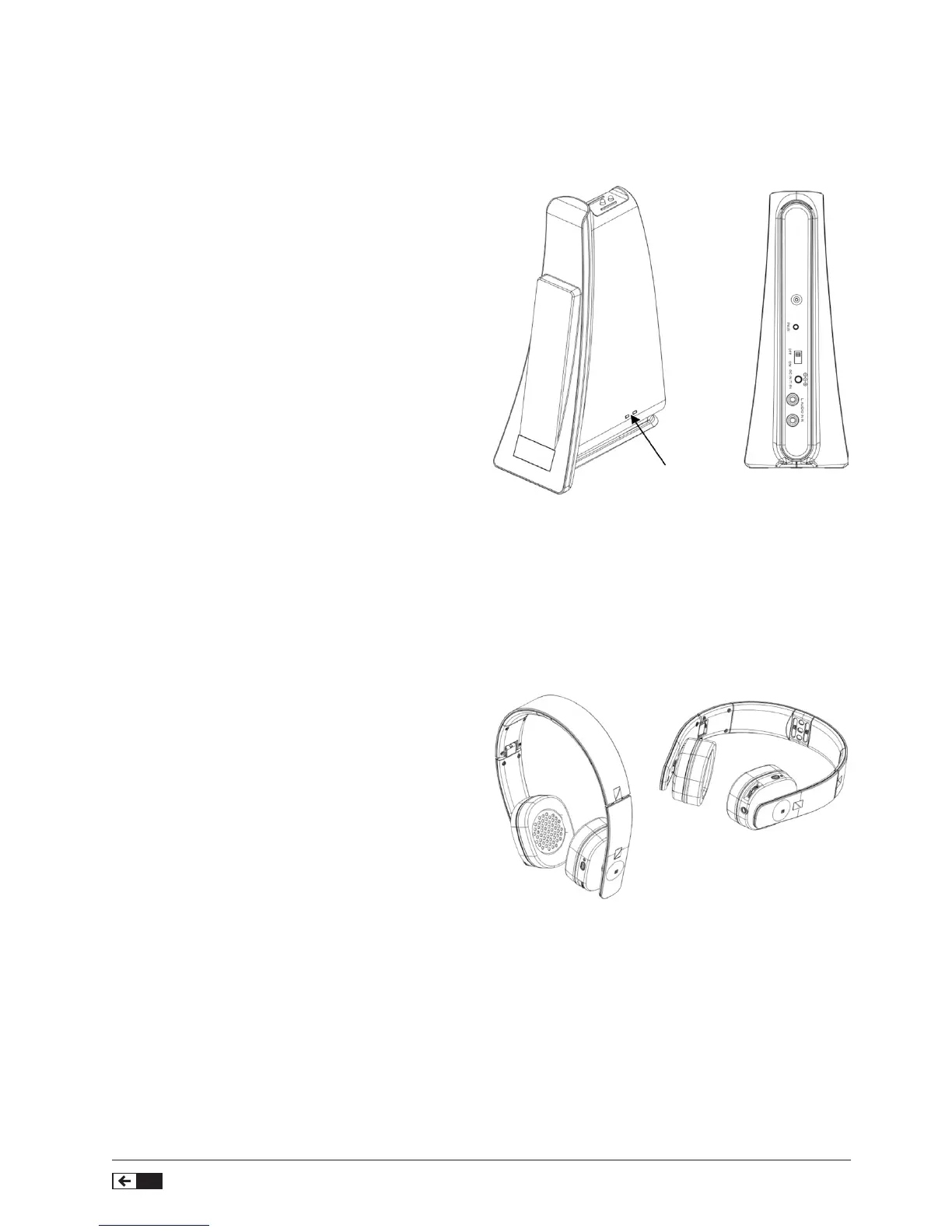
POWER/SIGNAL
Headphone Receiver
1.PowerLEDIndicator
2.PowerKey
3.Vol+,Pair,Vol-
4.3.5mmAudioInJack
This2.4GHzstereowirelessheadphonesystemoffersyouadvancesinwirelesstransmissiontechnology.Youcan
listentostereosoundfromyouraudiocomponentsupto50meters.Thetransmitteriscompatibletoanyaudio
sourcessuchasDVDplayer,CDplayer,i-Pod,MP3,TVset,VCR,Hi-Fisystemandradio.
1.PressthePowerbuttonontheheadphonefor3
secondstoturnthewirelessfunctionon,theBlue
LEDlightwillash.
2.Theheadphonesarenowlinkedup(paired*)with
thetransmitterandtheBlueLEDlightwillbeinsolid
blue.



 To Next Page