3. Micro SD Card Music Playing
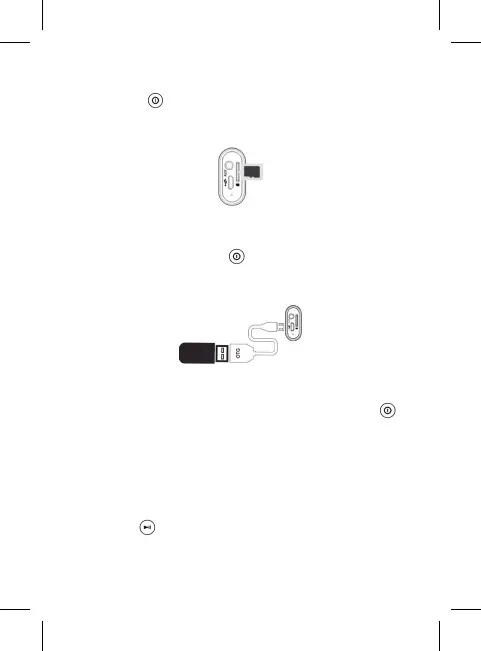
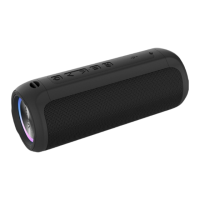
Inserting the Micro SD Card into the speaker (See below picture),
short press the button to enter the memory card mode , the
speaker will play the Micro SD card music directly. Speaker will
prompt “memory card mode”.
4. USB Music Playing
Connect the Micro USB slot and the USB flash disk via the included
OTG cable, then short press the button until the speaker prompt
the”USB mode”). It will play the music on your USB flash disk (Please
insert a good status USB flash disk first, then the speaker can be
switched to the USB mode).
5. Aux in Mode
Use the 3.5mm audio cable included to connect the speaker to
an audio source (PC, MP3/MP4, mobile phone). Short press the
button to enter “AUX IN” mode (the speaker will prompt “Aux in”
mode). The speaker will play the music from the audio source.
Please Note:
When the speaker connect to the PC via the Aux In cable to play music.
We suggest use the branded adaptor (5V 1A) instead of the PC USB Port to
charge the speaker. As the computer’s power supply is week.
Make sure the speaker is under Aux In mode when using this function.
Short press the button, the music will be mute on the speaker. But the
audio source is playing the music.


 To Next Page