11.
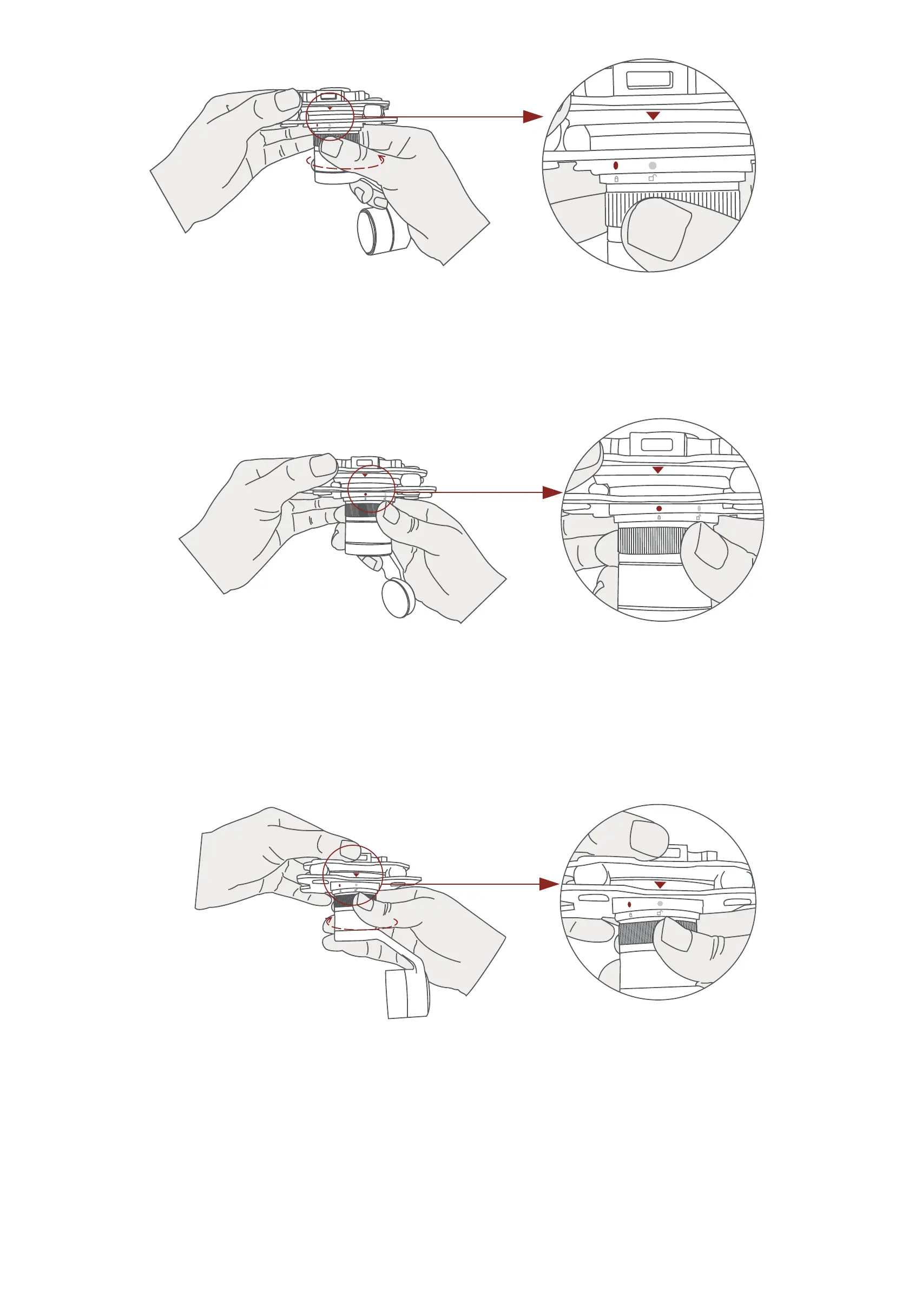
2. Align the white dot (unlock icon) to the red triangle (below unlock
button), push the gimbal into the Viewport completely and then rotate
the gimbal camera anticlockwise.
3. When you hear "click" sound (when red dot is aligned to the red tri-
angle) means the gimbal camera and Viewport has been locked.
4. To unlock the Viewport, you need to press on unlock button and
rotate the gimbal camera clockwise till the white dot align to the red tri-
angle. Then pull the gimbal out from the Viewport.


 To Next Page