2.4 Install Mounting Part
8.
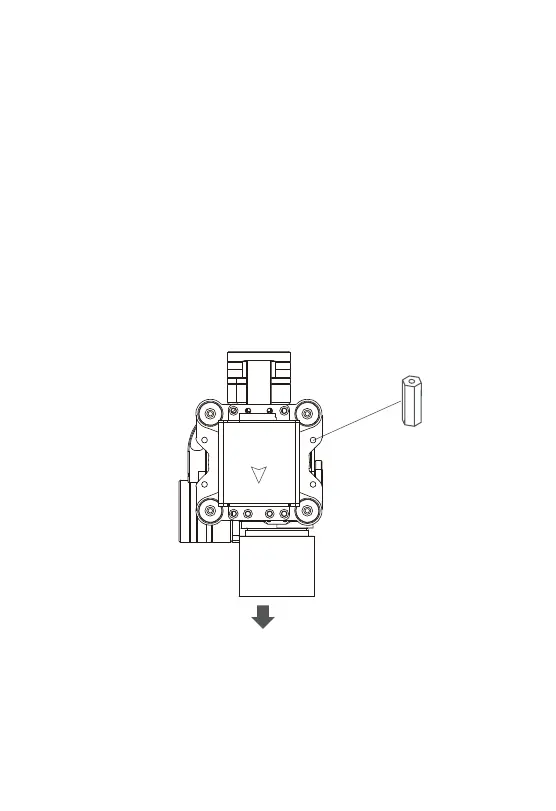
(1) Find out the arrow on the gimbal which indicating the yaw
heading of the payload (i.e. the lens direction when the camera
power on), and synchronize with the direction specified by the UAV.
(2) Fix one end of the copper cylinder on the screw hole of lower
damping board, and use M3 screw to fasten it.
(3) According to the provided screw hole dimension you can make
suitable mounting holes on the UAV mounting board, and fixes the
other end of the copper cylinder on the mounting board of the UAV
(Viewport version is the same).
Front


 To Next Page