EasyManua.ls Logo

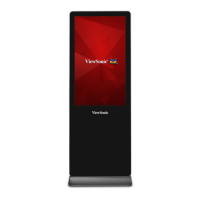
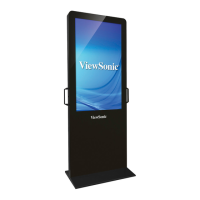
ViewSonic EP4320 - User Manual

ViewSonic EP4320
52 pages
Print Icon
To Next Page IconTo Next Page
Loading...
EP4320
Multimedia Digital Poster
User Guide
Model No.: VS16849
IMPORTANT: Please read this User Guide to obtain important information on installing
and using your product in a safe manner, as well as registering your product for future
service. Warranty information contained in this User Guide will describe your limited
coverage from ViewSonic Corporation, which is also found on our web site at http://
ZZZYLHZVRQLFFRPLQ(QJOLVKRULQVSHFL¿FODQJXDJHVXVLQJWKH5HJLRQDOVHOHFWLRQ
box in the upper right corner of our website. “Antes de operar su equipo lea cu
idadosamente las instrucciones en este manual”

Questions and Answers

  • C
    christian60Aug 16, 2025
    How to fix ViewSonic EP4320 remote control not working?
    • J
      jessicamarshallAug 16, 2025
      If your ViewSonic Digital Signage remote control isn't working, first replace the batteries, as they might be weak. Also, ensure the batteries are correctly oriented. Finally, verify that the power cord is properly plugged in.
  • C
    Cheryl WillisAug 19, 2025
    What to do if my ViewSonic Digital Signage has no picture and sound?
    • A
      Amber HarrisAug 19, 2025
      If your ViewSonic Digital Signage display has no picture and no sound, ensure the power cord is properly plugged in. Also, try pressing the POWER button on either the display itself or the remote control.
  • J
    joseaguilarAug 21, 2025
    Why is there no sound on my ViewSonic EP4320?
    • T
      Timothy BriggsAug 22, 2025
      If your ViewSonic Digital Signage has good picture but no sound, the sound may be muted. Press the MUTE button again to cancel mute.
  • J
    Julie JohnsonAug 25, 2025
    How to remove dotted lines on ViewSonic Digital Signage?
    • A
      Alexandra RomanAug 26, 2025
      If your ViewSonic Digital Signage displays dotted lines or stripes, move the display away from potential noise sources. These sources include cars, neon signs, and hair dryers.
  • D
    Douglas CarsonAug 28, 2025
    How to brighten the screen on ViewSonic Digital Signage?
    • R
      Roger PetersonAug 28, 2025
      If your ViewSonic Digital Signage picture is dark, poor, or nonexistent while still having good sound, try selecting a proper picture mode. You might also need to adjust the brightness in the video settings.
  • L
    lgoldenAug 31, 2025
    How to adjust color on ViewSonic Digital Signage?
    • P
      pnolanAug 31, 2025
      If your ViewSonic Digital Signage displays no color, a dark picture, or abnormal colors, adjust the color saturation in the video settings.
  • L
    leewilliamSep 2, 2025
    Why can't I access some items on ViewSonic EP4320 Digital Signage?
    • J
      jennifer28Sep 3, 2025
      If some settings options appear in gray on your ViewSonic Digital Signage, it means that the setting is unavailable in the current input mode.
  • C
    courtney02Sep 6, 2025
    What to do if ViewSonic EP4320 Digital Signage control buttons do not operate?
    • C
      Charles AndersonSep 6, 2025
      If the control buttons on your ViewSonic Digital Signage do not operate, disconnect the power cord and wait a few seconds. Then, re-plug the power cord and turn the unit on again.
  • R
    randersonSep 9, 2025
    Why is ViewSonic Digital Signage remote control not working sometimes?
    • J
      James LeeSep 9, 2025
      If the remote control command is not effective in some cases on your ViewSonic Digital Signage, especially during USB device detection, wait some time, and then it should be okay.
  • C
    corycalderonSep 12, 2025
    Why does ViewSonic EP4320 POWER button respond slowly?
    • R
      Russell LoganSep 12, 2025
      When you push the POWER switch to turn on your ViewSonic Digital Signage, the POWER button will start to respond approximately 3 seconds after being pressed.

ViewSonic EP4320 Specifications

General IconGeneral
BrandViewSonic
ModelEP4320
CategoryDigital Signage
LanguageEnglish

Related product manuals