EasyManua.ls Logo

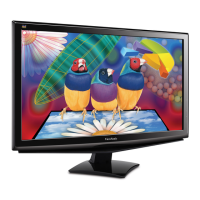
ViewSonic VA2247-mh - User Manual

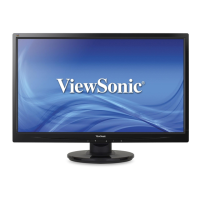
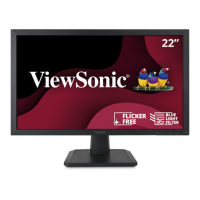
ViewSonic VA2247-mh
46 pages
Print Icon
To Next Page IconTo Next Page
Loading...
VA2247-mh
Display
User Guide
Model No. VS18521
P/N: VA2247-MH
IMPORTANT: Please read this User Guide to obtain important information on installing and using your product in
a safe manner, as well as registering your product for future service. Warranty information contained in this User
Guide will describe your limited coverage from ViewSonic® Corporation, which is also found on our web site at
http://www.viewsonic.com in English, or in specific languages using the Regional selection box in the upper right
corner of our website. “Antes de operar su equipo lea cu idadosamente las instrucciones en este manual”

Questions and Answers

  • J
    Justin HuntSep 10, 2025
    How to troubleshoot no power on my ViewSonic VA2247-mh Monitor?
    • W
      Wendy ReevesSep 12, 2025
      First, ensure the ViewSonic monitor is turned on by pressing the power button. Then, verify the power cord is properly and securely connected to both the monitor and the power outlet. Finally, test the power outlet with another electrical device to confirm it's supplying power.
  • R
    raymondscottSep 12, 2025
    Why are some menus not selectable in the OSD on my ViewSonic VA2247-mh Monitor?
    • J
      Jason CarrSep 12, 2025
      Adjust the ViewMode or the input source on your ViewSonic monitor. If that doesn't work, try resetting the monitor to factory settings.
  • B
    Breanna JohnsonSep 14, 2025
    Why does the screen appear yellow on my ViewSonic VA2247-mh Monitor?
    • D
      donnafowlerSep 14, 2025
      Make sure the 'Blue Light Filter' is turned off on your ViewSonic monitor.
  • H
    hkelleySep 16, 2025
    What to do if the control panel keys do not work on my ViewSonic Monitor?
    • C
      chelsea17Sep 16, 2025
      Press only one key at a time on the ViewSonic monitor's control panel. If the keys still do not work, restart the computer.

Summary

Safety Precautions

I;O Ports

Initial Setup

Installing the Stand

Step-by-step instructions for attaching the monitor stand.

Wall Mounting

Detailed guide on how to securely mount the monitor on a wall.

Making Connections

Connecting to Power

Procedure for connecting the monitor to a power outlet.

Connecting External Devices

Guide on connecting various external devices like PCs via HDMI/VGA.

Using the Monitor

Turning the Device On;Off

Instructions on powering the monitor on and off.

Using the Control Panel Keys

Explanation of the monitor's control panel buttons and their functions.

Quick Menu

How to access and use the monitor's quick menu for settings.

General Operations

Troubleshooting

Maintenance

ViewSonic VA2247-mh Specifications

General IconGeneral
Panel typeMVA
Screen shapeFlat
Display diagonal22 \
Display technologyLED
Native aspect ratio16:9
Maximum refresh rate75 Hz
Contrast ratio (dynamic)50000000:1
Contrast ratio (typical)3000:1
Display number of colors16.7 million colors
Display brightness (typical)250 cd/m²
HDMI version1.4
Headphone outYes
Built-in USB hub-
Headphone connectivity3.5 mm
AC input voltage100 - 240 V
Power consumption (standby)0.5 W
Power consumption (typical)28 W
Tilt angle range3 - 20 °
Cable lock slot typeKensington
Panel mounting interface100 x 100 mm
Operating temperature (T-T)0 - 40 °C
Package weight4000 g
Product colorBlack
Weight and Dimensions IconWeight and Dimensions
Depth (with stand)206 mm
Width (with stand)492 mm
Height (with stand)372 mm
Weight (with stand)2900 g
Depth (without stand)47 mm
Height (without stand)292 mm
Weight (without stand)2600 g

Related product manuals