EasyManua.ls Logo

ViewSonic VFD1028w-11 - User Manual

ViewSonic VFD1028w-11
21 pages
Print Icon
To Next Page IconTo Next Page
Loading...
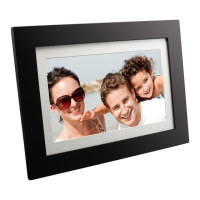
VFD1028w
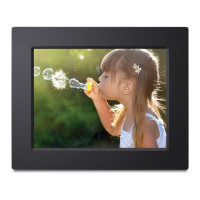
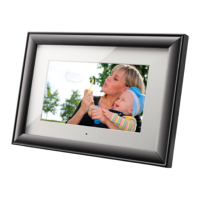
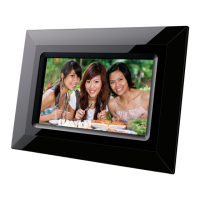
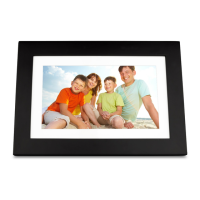
Digital Photo Frame
User Guide
Model No. VS14962

Other manuals for ViewSonic VFD1028w-11

Questions and Answers

  • D
    Diane JohnsonJul 26, 2025
    How to fix ViewSonic VFD1028w-11 Digital Photo Frame that will not power on?
    • B
      Brad MurphyJul 26, 2025
      If your ViewSonic Digital Photo Frame fails to power on, ensure the AC power adapter's rating is correct and that it's securely connected both to the device and the electrical outlet.
  • C
    Courtney McclainAug 3, 2025
    Why can't my ViewSonic VFD1028w-11 Digital Photo Frame playback pictures?
    • K
      Kathy MorganAug 3, 2025
      If your ViewSonic Digital Photo Frame cannot playback pictures, verify that the image files are in JPEG, JPG (baseline), or BMP format, as these are the only supported formats.
  • D
    Desiree SpencerAug 10, 2025
    What to do if the screen is too dark on my ViewSonic VFD1028w-11 Digital Photo Frame?
    • D
      Dawn BarnesAug 10, 2025
      If your ViewSonic Digital Photo Frame screen is off or appears too dark, navigate to the Setup menu and verify that the screen brightness isn't set to a low level.
  • E
    Eduardo ClarkAug 17, 2025
    What to do if my ViewSonic VFD1028w-11 failed to read memory card?
    • W
      William NewmanAug 17, 2025
      If your ViewSonic Digital Photo Frame is unable to read the memory card, check that the memory card is correctly inserted, aligning the notch with the label on the device. Avoid forcing the memory card into the slot.

Summary

Important Safety Precautions

Hardware Overview

Specifications

Technical specifications of the digital photo frame, including screen, formats, and dimensions.

Main Functions

Initial Setup and Connections

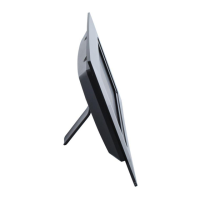
Instructions for attaching the stand and connecting power and memory devices.

Photo Menu and Thumbnail View

Accessing the photo menu, displaying photos in thumbnail view and slideshow.

Photo Browse and Slideshow Controls

Button functions for navigating photos and controlling slideshow modes.

Calendar Modes and Controls

Details on calendar display modes (monthly, daily, clock) and their button controls.

Settings Menu Navigation

Instructions for accessing and navigating the Photo, Calendar, and System settings menus.

Troubleshooting

Common Issues and Solutions

Provides solutions for common problems like power issues, memory card errors, and screen display.

Limited Warranty

ViewSonic VFD1028w-11 Specifications

General IconGeneral
Screen Size10.1 inches
Resolution1024 x 600
Aspect Ratio16:9
USB PortYes
Audio Formats SupportedMP3
Contrast Ratio300:1
Built-in SpeakersYes
Memory Card SupportSD, MMC
Image Formats SupportedJPEG
Video Formats SupportedMPEG1, MPEG4
Power SupplyAC 100-240V
Brightness200 cd/m²
Memory128MB

Related product manuals