ViewSonic VX2262wm/VX2262wmp 13
Control Explanation
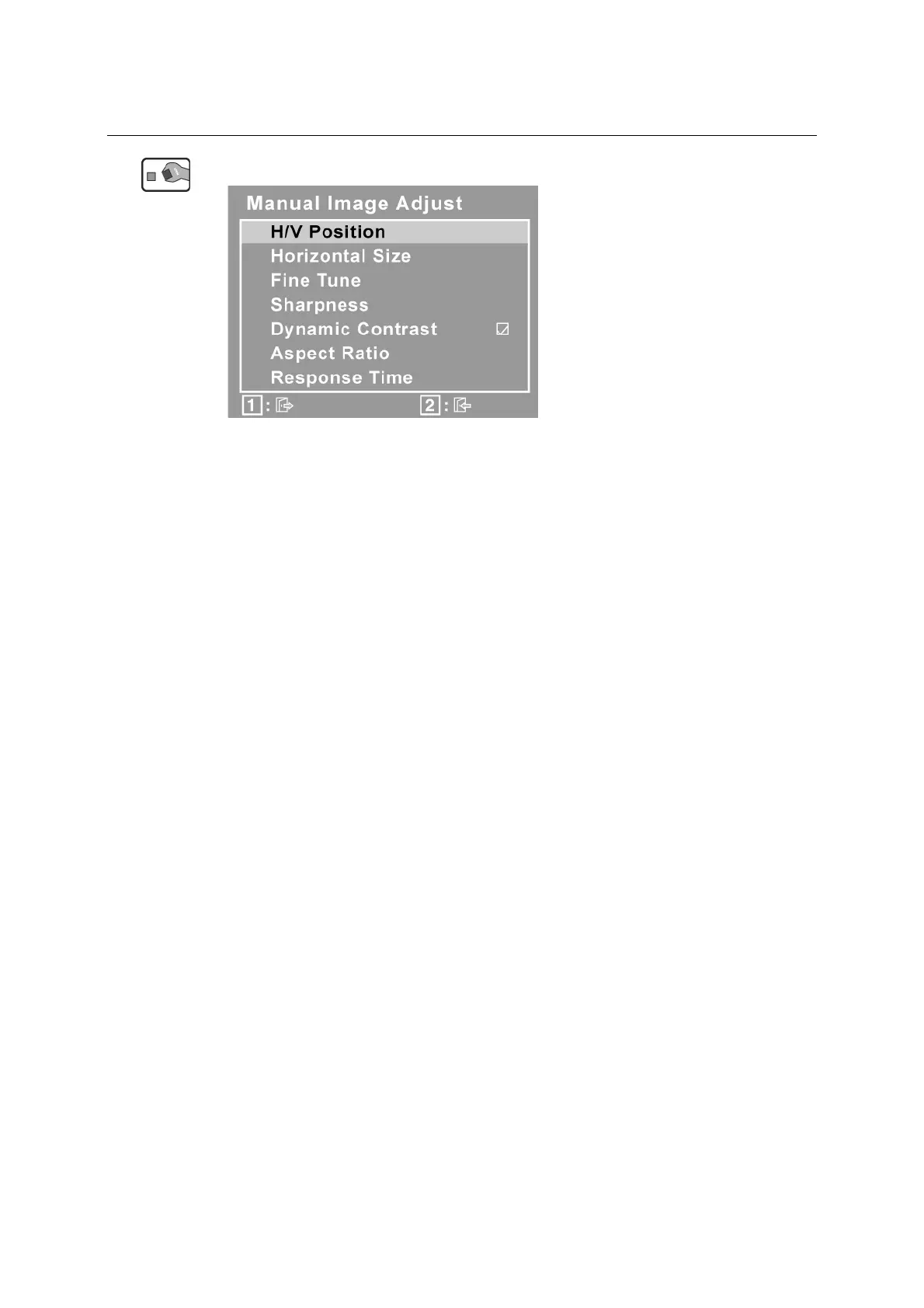
Manual Image Adjust displays the Manual Image Adjust menu.
H./V. Position (Horizontal/Vertical Position) moves the screen image left or
right and up or down.
H. Size (Horizontal Size) adjusts the width of the screen image.
Fine Tune sharpens the focus by aligning text and/or graphics with pixel
boundaries.
NOTE: Try Auto Image Adjust first.
Sharpness adjusts the clarity and focus of the screen image.
Dynamic Contrast allows the user to turn the contrast ratio enhancement on or
off.
Aspect ratio Selects the image size for 4:3, fill aspect ratio & full screen.
Response Time adjusts the response time of liquid-crystal display for image
quality enhancement.




 To Next Page