Wireless Receiver Installation Instructions
Vigil Health Solutions Inc. Page 2
2102 - 4464 Markham Street
* Victoria, BC * Canada * V8Z 7X8
Phone: 250.383.6900 Toll Free: 1.877.850.1122
Fax: 250.383.6999 Web: www.vigil.com
Revised: June 26, 2006
Wiring and Connections
Installation Instructions
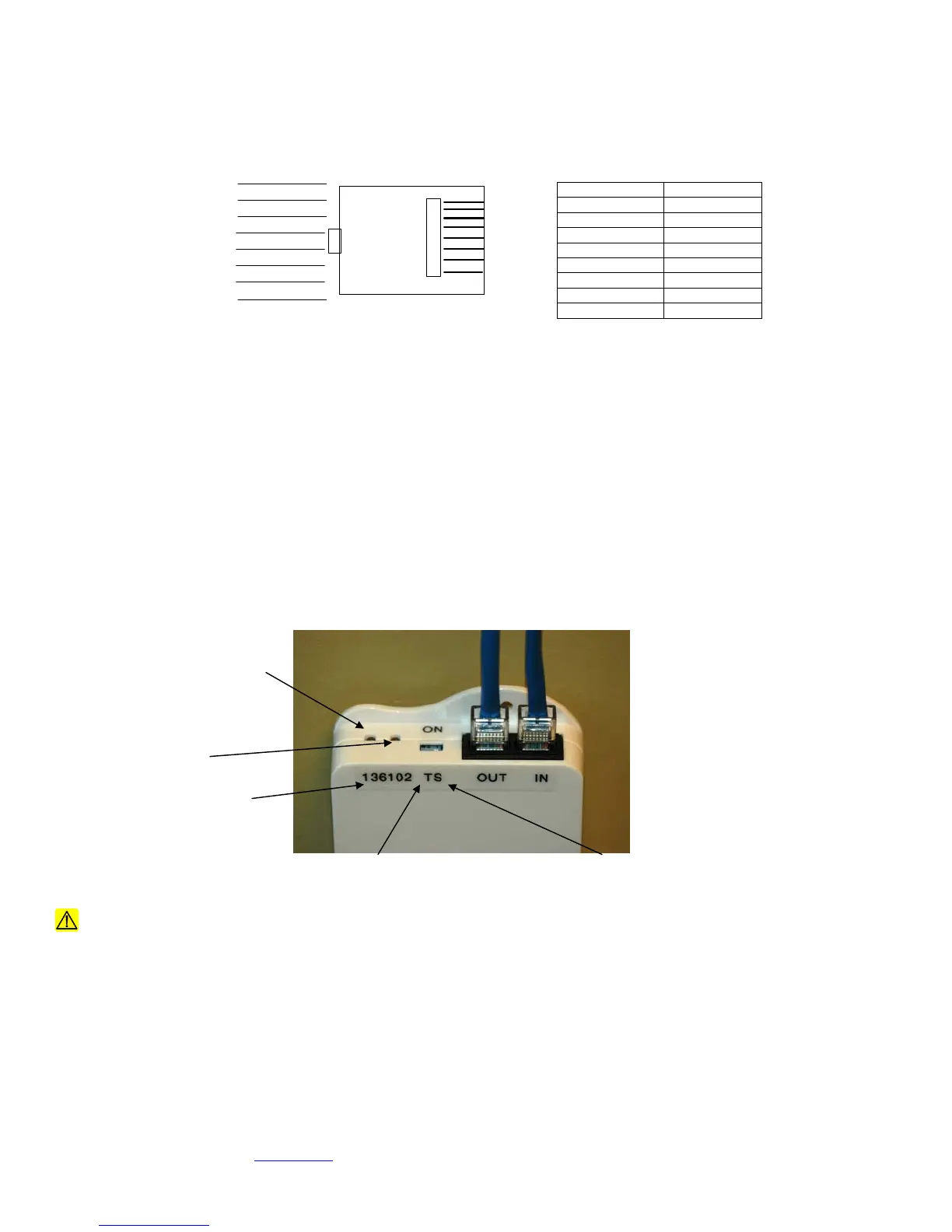
1. Terminate incoming and outgoing CAT5 cables on RJ45 modular plugs as shown above. Use supplied AMP plugs or
approved equivalent. Ensure cables are labelled appropriately.
2. After connecting the modular plugs on both ends of the cable, use an approved network cable tester to verify the connections
on both ends. All pins must be connected straight through.
3. Once both ends of the cable are tested, plug the cable coming from the direction of the central equipment into the socket
marked “IN” and plug the cable going to the next receiver into the socket marked “OUT”.
4. Set dipswitches as follows:
a. If receiver is at the end of the line (no outgoing run) set the Terminating Resistor to ON by turning the switch labelled
“T” toward the base of the unit (labelled ON)
b. If the receiver is a WSRX (Server) set the unit to Server mode by turning the switch labelled “S” toward the base of
the unit (labelled ON)
Caution: Any changes or modifications not expressly approved by the party responsible for compliance could void
the user's authority to operate the equipment.
Conductor Use
Orange/ White + 24 VDC
Orange + 24 VDC
Green/ White + 24 VDC
Blue DATA HI
Blue/ White DATA LO
Green GND
Brown/ White GND
Brown GND
RJ45 Standard Pinout
Hook is underneath
1 Orange/ White
2 Orange
3 Green/ White
4 Blue
5 Blue/ White
6 Green
7 Brown/ White
8 Brown
Receiver ID
Turn T Switch to ON if at
end of line
Turn S Switch to ON if
settin
to a Serve
CAN Bus Communication
LED
Wireless Communication
LED



 To Next Page
 Loading...