2
Refer to the steps below to setup your Vigor router.
1. Connect a Cable line to WAN1 port and a DSL modem to WAN2 port respectively.
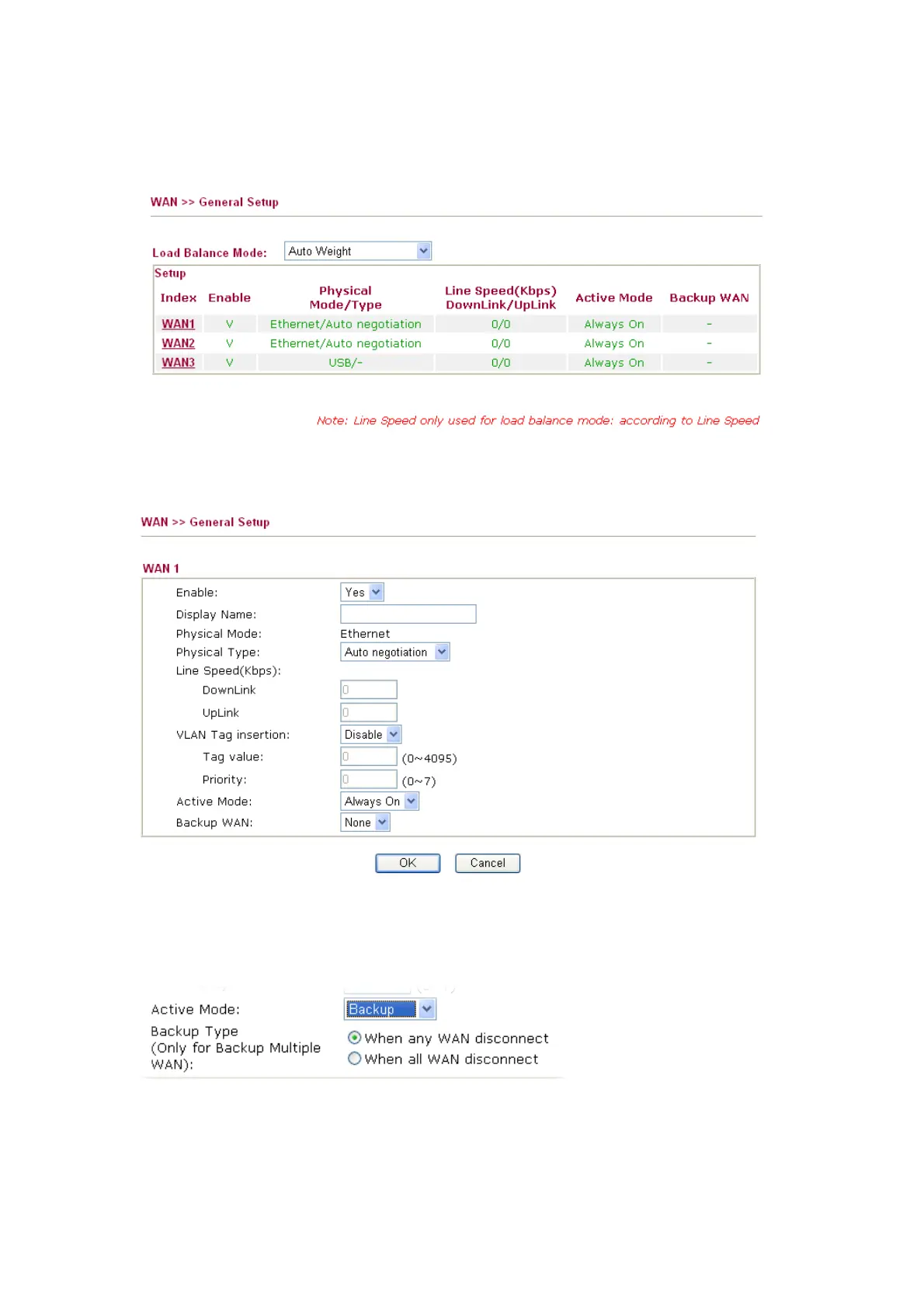
2. Open the Web configurator and go to WAN >> General Setup.
3. Click the WAN1 link. Choose Always On for Active Mode. Click OK to save it and exit the
page.
4. Click the WAN2 link. Choose Backup for Active Mode and choose When any WAN
disconnect or When all WAN disconnect as Backup WAN.
5. Go to WAN >> Internet Access.
6. Select Static or Dynamic IP for WAN1 and PPPoE for WAN2 respectively. Then press the
Details Page button to display the corresponding configuration page.


 To Next Page