Page 10 For technical questions, please call 1-888-866-5797. Item 62749
Maintenance and Servicing
Procedures not specifically explained in this manual must
be performed only by a qualified technician.
TO PREVENT SERIOUS INJURY FROM ACCIDENTAL OPERATION:
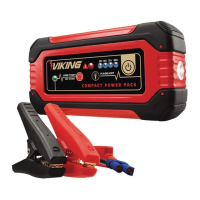
Turn Power Switch to its “off” position, unplug the Power Pack, and allow it to cool
completely before performing any inspection, maintenance, or cleaning procedures.
1. BEFORE EACH USE, inspect
the general condition of the
Power Pack. Check for:
• loose hardware
• cracked or broken parts
• damaged electrical wiring
or cable insulation
• any other condition that may
affect its safe operation.
2. Keep unit clean and clamps free
of dirt, debris, or grease.
3. AFTER USE, wipe external surfaces
of the Power Pack, Battery Clamps,
and cords with clean cloth. Do not use
flammable liquids or harsh detergents
to clean the Power Pack.
4. Power Pack contains no user-
serviceable parts. Service
must be performed only by
a qualified technician.
5. Fully charge battery and store
the Power Pack and Accessories
in the Carrying Case out of
the reach of children.
Troubleshooting
Problem Possible Causes Likely Solutions
Red warning light comes
on and unit beeps.
Battery Clamps are
connected backwards
(reverse polarity) or
there is a short circuit.
Turn Power Pack off and correct
Clamp connections. Turn unit
back on and resume operation.
Unit beeps. 1. Overload on 12 VDC
output port.
2. Overload on USB
output port.
1. Turn unit off and check that
electronic device being powered
does not exceed 6 A load limit.
2. Turn unit off and check that
electronic device being powered
does not exceed 2 A load limit.
Red warning light
comes on.
Power Pack battery
is overheated.
Wait five minutes for battery to
cool, then resume operation.
Red warning light flashes.
Battery Clamp Cable
malfunction.
Repair or replace Battery
Clamp Cable.
Follow all safety precautions whenever diagnosing or servicing the tool.
Disconnect power supply before service.


 To Next Page