19
EN
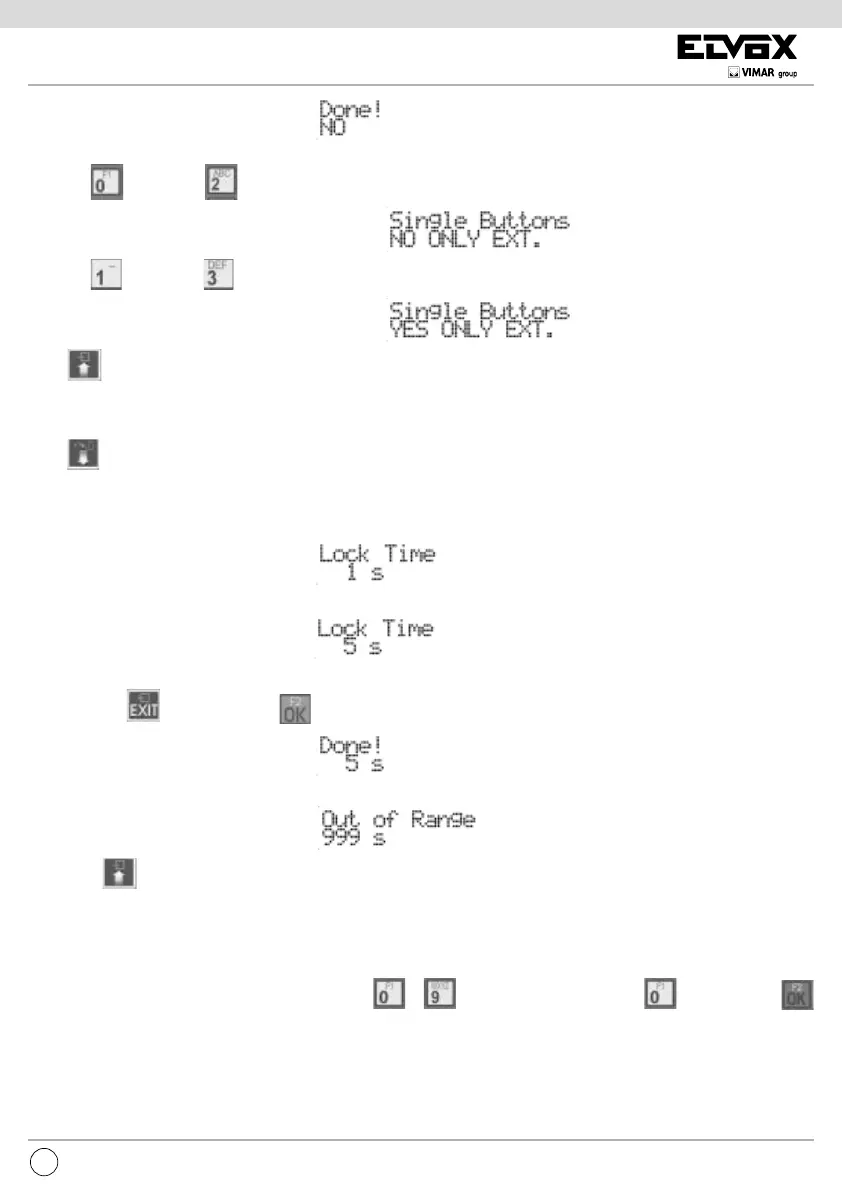
As push-button number extension you can choose the use of only external push-buttons, either in single either in double row. To do this
instead of
you can use .
instead of
you can use .
Press
to move to the previous item of the programming menu.
LOCK TIME
Press to move to the next item by which you can change the time for which the lock is activated whether controlled by intephone/
monitor or locally via the AC terminal of the terminal block.
When controlled by an intephone/ monitor, the Lock Block described below is observed.
What is shown corresponds to the current value:
By keying in the digits, the time can be changed in steps of one second:
To cancel press . To conrm, press . Acceptance of the command, as in all cases, is shown on the rst line of the display
If the time is outside the limit, that is longer than 5 seconds, the rst line of the display will signal the incongruity:
By pressing you move onto the previous item of the programming menu.
D.O. (DOOR OPEN) SEND TIME
Normally an entrance panel sends over the bus a notification of the D.O. (Door Open) input status only when it changes. The Master
entrance panel sends the global status (at least one door is open or all the doors are closed) only when it changes. In some situations it
is desirable for this to be done periodically. Using buttons
to enter the send time in minutes. to disable. Press
to confirm the change.
Default = disabled, 1’ minimum, 90’ maximum
LOCK BLOCK



 To Next Page