EasyManua.ls Logo

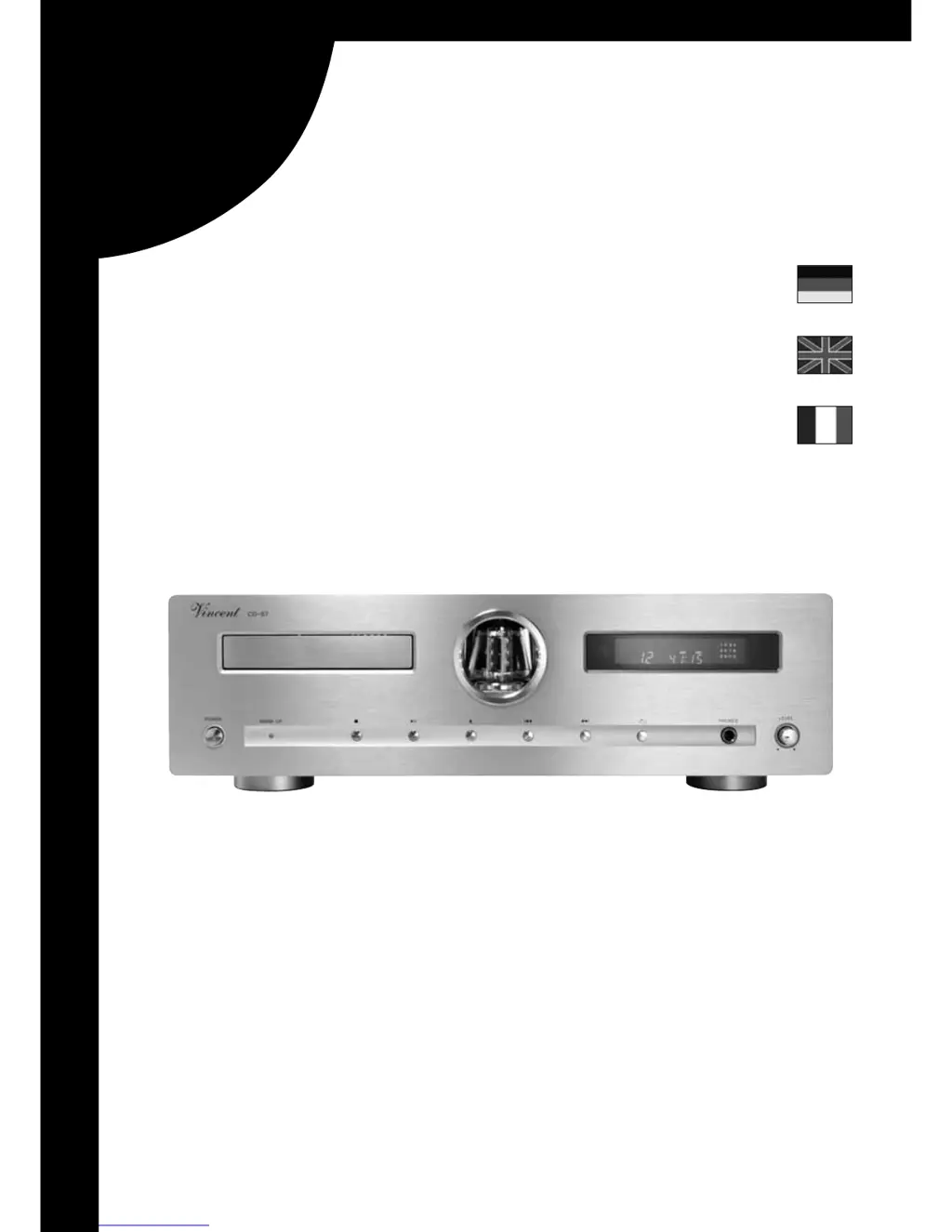
VINCENT CD-S7 - User Manual

VINCENT CD-S7
68 pages
Go to English
Print Icon
To Next Page IconTo Next Page
Loading...
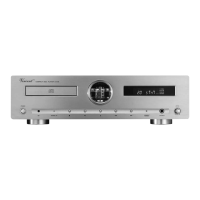
Vincent
CD-S7
CD-Player mit Hybrid-Ausgangsstufe
Hybrid CD-Player
Lecteur de CD et hybride
Bedienungsanleitung deutsch
Instructions for use english
Manuel d‘utilisation français

Questions and Answers

  • B
    browncynthiaAug 9, 2025
    Why is there no sound from my VINCENT CD Player?
    • W
      wmonroeAug 10, 2025
      If your VINCENT CD Player's front panel display is working but you're not getting any sound, it could be due to several reasons. Ensure that the correct input channel is selected on your amplifier and that the volume isn't set too low. Check the audio output connections between the CD player and your receiver/amplifier, referring to the “Installation” section for guidance. Also, make sure CD playback has been initiated by pressing “PLAY/PAUSE”. Finally, verify that the output level “VOL” hasn't been set too low using the remote control and increase the output level.
  • A
    Anna VelasquezAug 14, 2025
    How to fix a VINCENT CD Player that won't turn on?
    • R
      Ryan RayAug 15, 2025
      If your VINCENT CD Player isn't powering on, ensure the mains cable is properly connected to a functioning wall outlet with the correct voltage and firmly inserted into both the wall socket and the device's socket. If the problem persists, try exchanging the power cable with another suitable one, ensuring it's securely plugged in. If it still doesn't work, contact your dealer.
  • D
    David CruzAug 20, 2025
    What to do if there is no sound in headphones with VINCENT CD Player?
    • K
      kendra08Aug 20, 2025
      If you're not getting any sound through your headphones connected to your VINCENT CD Player, first check if the 6.3 mm jack plug of the headphones is fully inserted into the “PHONES” connection socket. Then, carefully increase the volume using the “LEVEL” dial. Ensure that CD playback has been started by pressing “PLAY/PAUSE”. If the issue persists, try using a different set of headphones to rule out a problem with the headphones themselves.
  • L
    Lisa TaylorAug 25, 2025
    Why won't my VINCENT CD-S7 CD Player read the disc?
    • D
      david90Aug 26, 2025
      If your VINCENT CD Player isn't reading a disc, it might be due to the disc type. This player only supports audio CDs and HDCDs. Ensure that you are not trying to play a DVD or a data CD-R. Also, check the CD for dirt or scratches and clean it if necessary. Make sure the CD is inserted with the printed side facing up. If you are using a CD-R, it might have been written at too high a speed, making it unreadable.
  • K
    Kevin FisherAug 29, 2025
    What to do if VINCENT CD-S7 does not start playing?
    • D
      Debra BrewerAug 29, 2025
      If your VINCENT CD Player doesn't start playing after pressing “PLAY/PAUSE”, it could be due to moisture condensation inside the player's drive caused by a significant change in ambient temperature. If this is the case, wait for about 1-2 hours to allow the moisture to evaporate, and then try playing the CD again.
  • A
    Anna RobertsSep 4, 2025
    How to turn on display on VINCENT CD Player?
    • L
      Leonard PattersonSep 4, 2025
      If the front panel display on your VINCENT CD Player is not working, it may have been switched off using the “DIMMER” button. Try pressing the “DIMMER” button again to turn the display back on.

VINCENT CD-S7 Specifications

General IconGeneral
TypeCD Player
Dynamic Range> 100 dB
Channels2
Frequency Response20 Hz - 20 kHz
Channel Separation90dB
OutputRCA
Dimensions (W x H x D)430 x 100 x 320 mm
THD< 0.003 %
Signal-to-Noise Ratio> 100 dB

Related product manuals