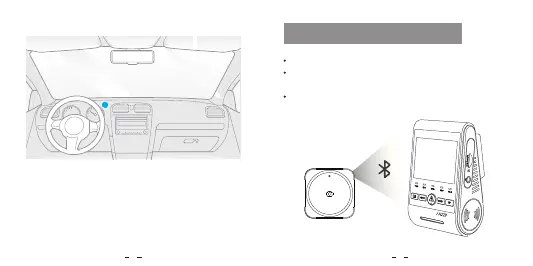
Pairing with Dash Camera
With one simple press on the Bluetooth remote control,
you can safely lock important videos, turn on/off Wi-Fi,
enable/disable HDR, and perform additional functions, all
without diverting your attention from the road.
Power on the camera.
Press and hold the video lock button on remote control
for 3 seconds to pair with camera.
If get paired successfully, the LED indicator of the remote
turns blue.
Pro
VI OF O
7 8


 To Next Page