Installation
2. Fix the Bluetooth remote control in a convenient location
on your dashboard.
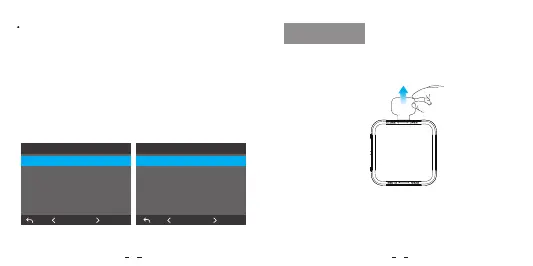
1. Remove the insulation film.
The two buttons can be customized to control certain
functions of the dashcam with one press, including:
Turn On / Off Microphone
Take a Photo
Turn On / Off WiFi
Power Off
Switch to Timelapse Recording
Turn On / Off HDR
5 6
Action Button
Turn On / O WiFi
Take a Photo
Turn On / O Microphone
Power O
Switch to Timelapse Recording
Turn On / O HDR
OK
Installation
Mic Button
OK
Turn On / O Microphone
Take a Photo
Turn On / O WiFi
Power O
Switch to Timelapse Recording
Turn On / O HDR


 To Next Page