How to Use
1. Push the power button firmly until vibration begins.
2. Brush teeth as recommended by your dental professional.
3. To turn Slim Sonic off, press power button firmly until vibration stops.
Care Instructions
1. After each use, rinse the brush head thoroughly with water.
2. Shake excess water from bristles. Wipe the handle dry after each use.
Dry your brush head before covering and storing.
3. Remove batteries if not used for an extended period of time.
4. To clean your Slim Sonic, wipe surface with a damp cloth.
Make sure the battery cover is closed securely to prevent water from
getting into the battery compartment.
Caution
• Do not immerse your Slim Sonic in water.
• Keep out of reach of children and pets as this product may
be dangerous for them.
• Warning: Choking hazard - this product contains small parts.
Seek immediate medical attention if swallowed or inhaled.
• Do not use this product for other purposes.
• Do not expose this product to any chemical solvent, direct sunlight
or high temperature.
• If an unexpected event happens when operating, please report
it to www.violife.com/customerservice.
slim sonic
the stylish toothbrush
Manufacturer: Violife LLC,
Violife LLC I 3 West 35 Street, New York, NY 10001
www.violife.com
Changing the Replaceable Brush Head
Caution: Do not pull the brush head straight off.
1. Hold the base of the toothbrush firmly in one hand, and with the other
hand, turn brush head counter clockwise and pull up.
2. Align new brush head and turn clockwise until brush head
clicks into place.
Note: Notches on neck should align with inner notches of toothbrush
head to lock in place.
Ordering Extra Brush Heads
Please check with your place of purchase or visit www.violife.com
for replacement brush heads.
Replacing the Battery
Alkaline batteries are recommended.
1. Hold the battery cover with one hand and grip firmly around both sides
of the power button section with your other hand.
2. Turn the battery cover clockwise and pull down, exposing the
battery compartment.
3. Remove the old battery. Insert a new AAA battery.
4. Replace the battery cover and turn counter clockwise until it is
securely in place.
Note: When battery is low, vibration will weaken and product may stop
working. This is not a malfunction. You will need to replace your battery.
Battery Disposal
Follow applicable laws and regulations for transport, shipping and
disposal of batteries. Contact your local recycling service.
Dispose of at public collection point in the EU countries
– 2002/96/EC WEEE Directive.
line on back of
base aligns with
dot on body to
lock in place
Congratulations on the purchase of your new Violife Slim Sonic toothbrush!
Slim Sonic operates at 22,000 brush strokes per minute for cleaner, healthier teeth and gums.
EN
Parts
A. Vented-Cap
B. Battery Cover/Base
C. Brush Head
D. Power Button
E. Battery Compartment
F. Battery

 Need help?
 General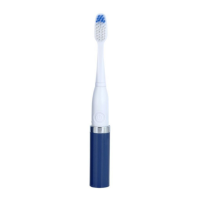

 To Next Page