START - PLAYER CHANGE - When the game to be played and the option are displayed
press START to begin playing. When the player that is throwing has completed the turn,
remove all darts. Press PLAYER CHANGE to move to the next player.
Not all turns will use 3 darts. Some turns will end when one dart scores too many points.
When a player’s turn is over any darts thrown will not register.
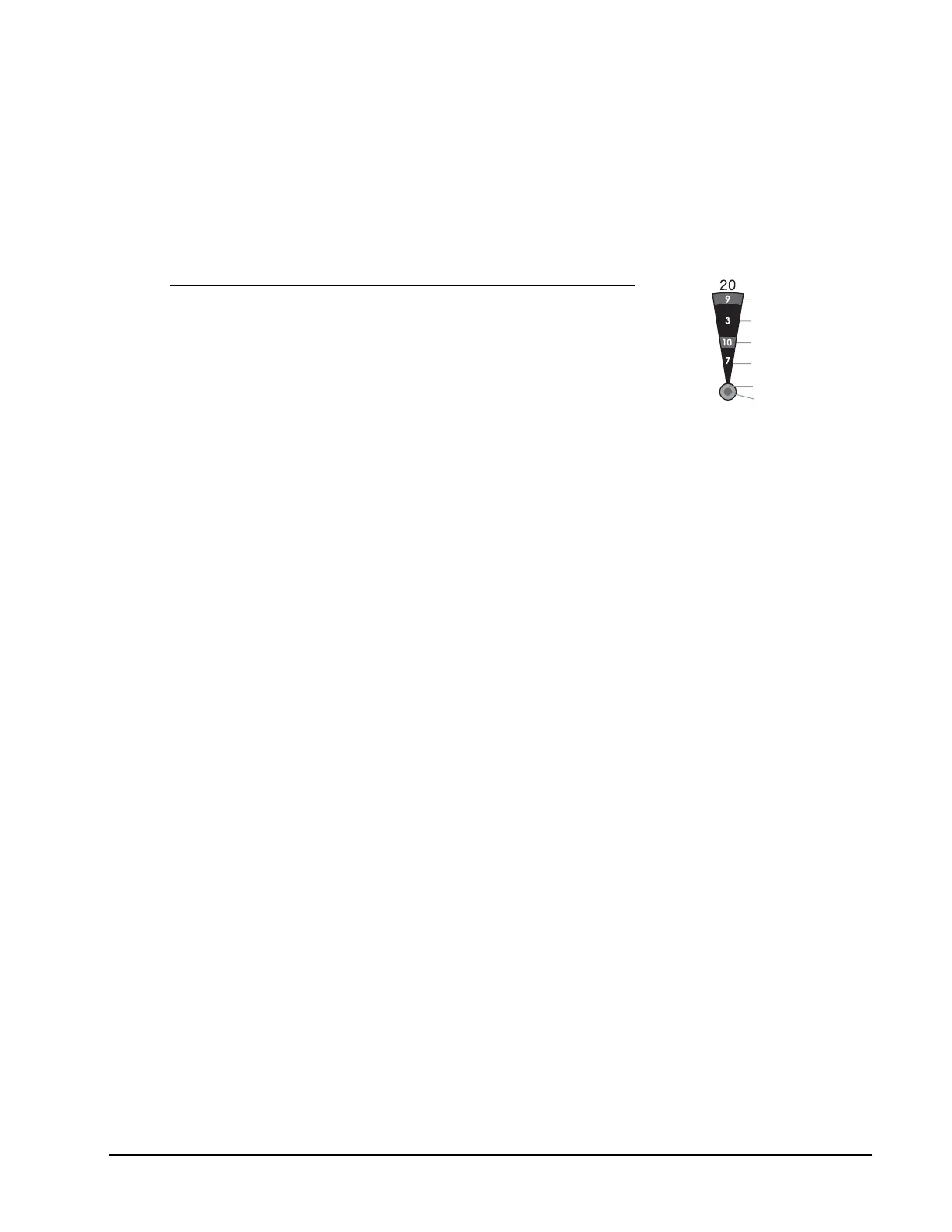
Segment Scoring
Scoring Rules
Single scoring segment score times 1
Double scoring segment score times 2
Triple scoring segment score times 3
Outer bullseye 25 times 1
Center bullseye 25 times 2
When a dart scores a double segment the display will show the score with a d in front of it. A
dart scoring a triple will have a t in front of the score.
DOUBLE IN/DOUBLE OUT Option
Some games will have the option of double in or double out or both double in and out. If the
option is available, the display will show double in out when OPTIONS is pressed
before the start of the game.
To DOUBLE IN a player must hit a double segment.
To DOUBLE OUT a player must hit a double segment that will end the game or the score
returns to the start of the turn. The players turn is over.
When a player finishes a game the player number and ranking will be displayed. The
ranking flashes as r-1 or r-2.
Some of the games will also display the average score of the darts that were thrown by the
players. Push PLAYER CHANGE. Pressing # OF PLAYERS will display the actual scores.
Double
Outer Singl
Triple
Inner Single
Single Bullseye
Double Bullseye
777 Electronic Dartboard


 To Next Page
 Loading...