© 2011 Directed Electronics. All rights Reserved. 2
QRN4704 2011-05
Programming System Features
The System Features Learn Routine dictates how the unit operates. It is possible to
access and change most of the feature settings using the Control button.
1. Turn the ignition on, then off.
2. Select a Menu. Press and hold the Control button. The number of horn honks
and LED flashes indicates the menu number. 1 horn honk and LED flash
indicates menu 1, 2 horn honks and LED flashes - menu 2 and 3 horn honks
and LED flashes for menu 3.
3. When the desired menu horn honks are heard with LED flashes, release the
Control button.
4. Select a Feature. Press and release the Control button the number of times
corresponding to the feature you wish to change. Then press and hold one
more time to select the features.
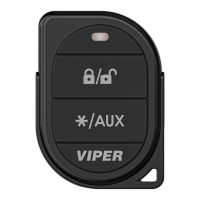
5. Program the Feature. While holding the Control button, you can program the
feature using the remote control.
For features with only two options;
button resets the feature to the factory default.
Once a feature is programmed:
• Other features can be programmed within the same menu
• Another menu can be selected
• The learn routine can be exited if programming is complete
To access another feature in the same menu:
1. Press and release the Control button the number of times necessary to advance
from the feature you just programmed to the next one you want to program.
2. Then press the Control button once more and hold it.
To select another menu:
1. Press and hold the Control button.
2. After 3 seconds, the unit advances to the next menu and the horn honks and
the LED flashes, indicating which menu has been accessed.
The learn routine exits if any of the following occurs:
• The ignition is turned On
• There is no activity for 30 seconds
• The Control button is pressed too many times
Feature Menus
Default settings are in bold type. New features are bold in solid grey rows.
Menu 1 - Vehicle Integration
Menu
Item
Feature Opt. 1 Opt. 2 Opt. 3 Opt.4 Opt. 5+
1
System Locking Mode
Active
Locking
Passive
Locking
Auto Re-
locking
2
Panic Mode
On
Ign Off
only
Off
3
Horn Function
Confirmation
Chirp (20
ms) & Panic
Confirma-
tion Chirp
(30 ms) &
Panic
Confirma-
tion Chirp
(40 ms) &
Panic
Confirma-
tion Chirp
(50 ms) &
Panic
Confir-
mation
Chirp Off
- Panic
Only
(Pulsed)
4
Ign-controlled locks
No Ign-
locking
Lock &
Unlock
Lock Only Unlock
Only
5
Door Lock Pulses
Single
Double
Unlock
Only
Double
Lock Only
Double
Lock &
Unlock
6
Door Lock output
duration
0.8 sec.
3.5 sec. 0.4 sec.
7
2nd Unlock
2nd unlock
on/ Ign-
control after
first unlock
2nd unlock
on/ Ign-
control with
first unlock
8
Comfort Closure
No Comfort
Closure
Comfort
Closure 1
Comfort
Closure 2
9 Hood Trigger Type
Normally
Open
Normally
closed
10 Door Switch Type Normally
open
Normally
closed
11
Ignition Off msg
(remote button
unlock)
On
Off
Menu 2 - Convenience
Menu
Item
Feature Opt. 1 Opt. 2 Opt. 3 Opt.4 Opt. 5+
1 One-time Bypass
No Bypass
Bypass
2 Valet Switch Pulse
Count
1
2 3 4 5
3 Door Ajar Error msg
On
Off
4 Ign-controlled Dome
light
On
Off
5 OEM Alarm Disarm
w/Aux/trunk
On
Off
6 OEM Alarm Disarm
Output
With
Unlock
Before
Unlock
Remote
Start Only
7 OEM Alarm Disarm
Pulses
1
2
8 Aux 1 Output type
Validity
Latch Latch/
reset/ign
Timed Off (5)/2nd
Unlock (6)
9 Aux 1 Linking
No Linking
Link to Lock Link to
Unlock
Link to
Lock/
Unlock
Link to
Remote Start
only
10 Aux 2 Output type
Validity
Latch Latch
reset/ign
Timed Off (5)/2nd
unlock (6)
11 Aux 2 Linking
No Linking
Link to Lock Link to
Unlock
Link to
Lock/
Unlock
Link to
Remote Start
only
12 Aux 3 Output type
Validity
Latch Latch
reset/ign
Timed Off (5)/2nd
unlock (6)
13 Aux 3 Linking
No Linking
Link to Lock Link to
Unlock
Link to
Lock/
Unlock
Smart Key
Control (Link
to Remote
Start Off)
14 Aux 4 Output Type Validity
Latch Latch
reset/ign
Timed Off (5)/2nd
Unlock (6)
15 Aux 4 Linking No linking
Link to Lock Link to
Unlock
Link to
Lock/
Unlock
Link to
Remote Start
Only
16 Aux/Trunk Output type Validity
Off 2nd unlock
Menu 3 - Remote start
Menu
Item
Feature Opt. 1 Opt. 2 Opt. 3 Opt.4 Opt. 5+
1 Transmission Mode
Manual
Automatic
2 Engine Checking Mode
Virtual
Tach
Voltage Off Tachom-
eter
3 Cranking Time
0.6 sec.
0.8 sec. 1.0 sec. 1.2 sec. 1.4 (5) /1.6
(6)/ 1.8 (7)/
2.0 (8)/
4.0(9)
4 Remote Start Runtime
12 min.
24 min. 60 min.
5 Activation Pulse Count
1
2
6 Turbo Mode
No Turbo
Mode
On-1 min. On-3 min. On-5 min.
On-10 min.
7 Timer Mode Runtime
12 min.
3 min. 6 min. 9 min.
8 Flex Relay Function
Ignition 2
Acces-
sory 2
Starter 2
9 Diesel Start Delay
Wait-to
Start input
Timed 15
sec.
Timed 30
sec.
Timed 45
sec.
10 Accessory during Diesel
Start Delay
On
Off
11 Status 2 Output
Status
Latch Rear
Defogger
Pulse Rear
Defogger
12 Parking Light Output
Constant
Pulsed Off
13 Anti-grind Output
On
Off
14 Tach Mode Starter
Release
Normal
Increase Decrease
15 Vehicle temp
auto report
Off
On
16 Remote Start Safelock Off
On
Bitwriter - only Options
If programming with the Bitwriter®, the learn routine can be locked or un-
locked. If the learn routine has previously been locked, it must be unlocked
with Bitwriter® - this cannot be done manually with the Control button.
The Bitwriter®
gives you access to a wider range of system options. These
features and the adjustments that may be programmed are described in the table
below. Default settings are in bold.
Menu
Item
Feature Default Opt. 2 Opt. 3 Opt.4 Opt. 5+
1 Aux/Trunk Icon Type*
Trunk
Window Sunroof Audio Lights/Left dr/Right
dr/Rear Hatch
2 Aux 1 Timed Output
30 sec.
Options: 1 to 90 sec.
Menu
Item
Feature Default Opt. 2 Opt. 3 Opt.4 Opt. 5+
3 Aux 1 Icon Type*
Pulsed
Trunk Window Sunroof Audio/Lights/Left dr/
Right dr/Rear Hatch/
Timed/Latched
4 Aux 2 Timed Output
30 sec.
Options: 1 to 90 sec.
5 Aux 2 Icon Type*
Pulsed
Trunk Window Sunroof Audio/Lights/Left dr/
Right dr/Rear Hatch/
Timed/Latched
6 Aux 3 Timed Output
30 sec.
Options: 1 to 90 sec.
7 Aux 3 Icon Type *
Pulsed
Trunk Window Sunroof Audio/Lights/Left dr/
Right dr/Rear Hatch/
Timed/Latched
8 Aux 4 Timed Output
30 sec.
Options: 1 to 90 sec.
9 Diesel Start Delay
type (seconds)
15 sec.
Options: 1 to 90 sec.
Menu
Item
Feature Default Opt. 2 Opt. 3 Opt.4 Opt. 5+
10 Timer Mode Runtime
(minutes)
12 min.
Options: 1 to 16 min.
11 Timer Mode Starts
6 starts
Options: 1/2/3/4 to 24 (Starts) in increments of 2
12 Timer mode intervals
(hours)
3 hr.
Options: 1/2/3/4 to 24 in 2 hour increments
13 Smart start low temp
0° (F)
Options: OFF, -20° to 70° in 10° increments
14 Smart start high temp
100° (F)
Options: OFF, 40° to 130° in 10° increments
15
Smart start low bat-
tery (volts)
10.5V
Options: OFF, 9V to 12.5V in 0.5V increments
16
Starter Release
Fine Tune
6
(normal)
Options: 0 to 20 in increments of 1
17 Feature Programming
Unlocked
Locked
Menu
Item
Feature Default Opt. 2 Opt. 3 Opt.4 Opt. 5+
18
Transmitter Program-
ming
Unlocked
Locked
19 Remote Start Runtime 12 min.
Options: 1 to 60 min.
20 Virtual Tach Fine
Tune
Not Ini-
tialized
Options: Not initialized, 0 to 1000 in 50 millisecond
increments
* available only on remotes with display screens
See full Installation Guide for more
detailed information on this system.
Such information and more can be
found online at:
www.directechs.com


 To Next Page
 Loading...