EasyManua.ls Logo

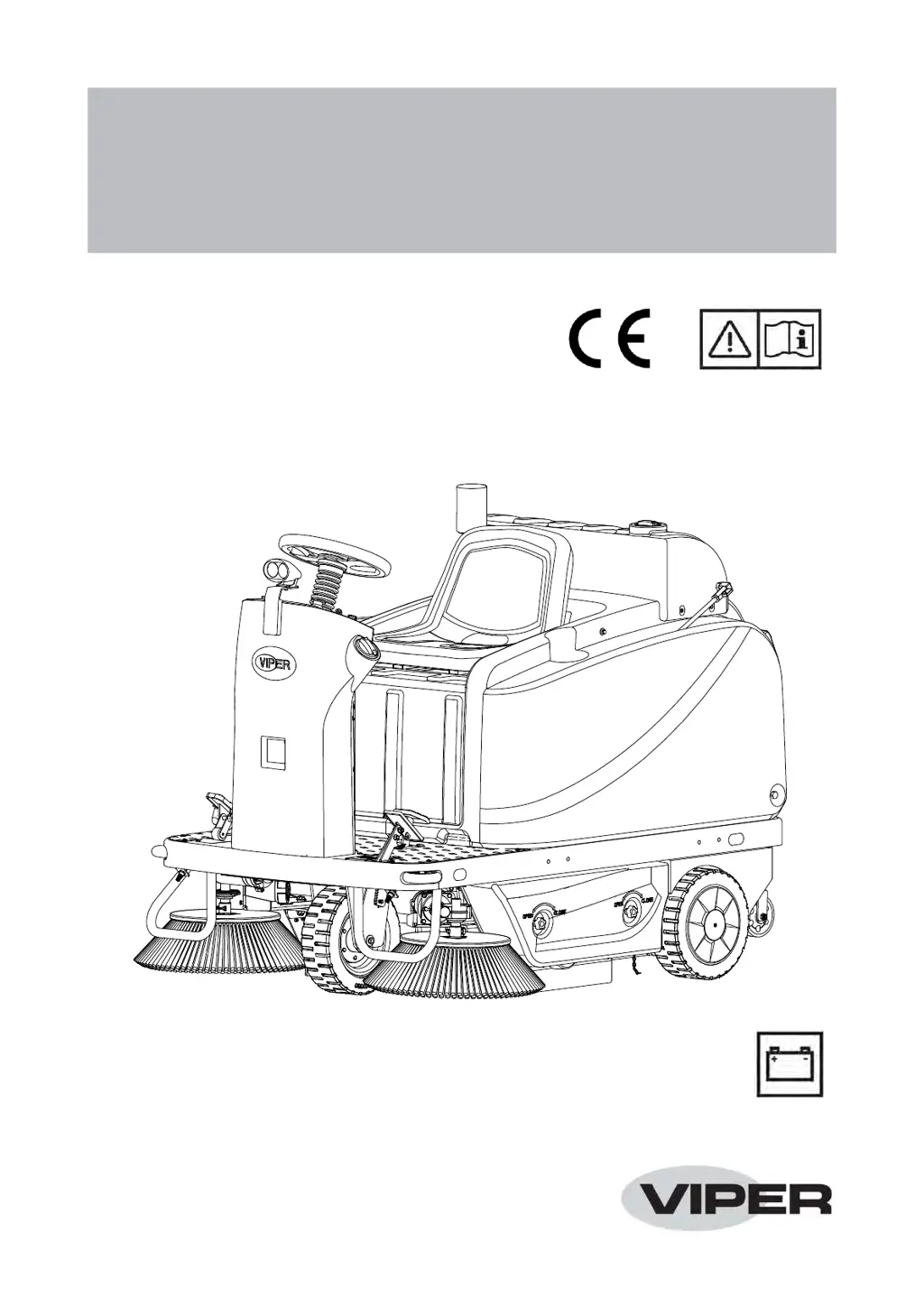
Viper ROS1300 - User Manual

Viper ROS1300
33 pages
Print Icon
To Next Page IconTo Next Page
Loading...
Model No.: 50000605
55940533 / Rev. A / JUNE 2021
Original instructions
ROS1300
INSTRUCTION FOR USE

Questions and Answers

  • J
    josephfigueroaAug 14, 2025
    What to do if my Viper Blower doesn't start?
    • C
      Chase WilliamsAug 14, 2025
      If your Viper Blower doesn't start when you turn the ignition key, there are a few potential causes. First, check if the battery connector is disconnected and connect it. Next, verify if the F6 circuit breaker is open and reset it by pressing the relevant switch. Finally, make sure the external charger cable is disconnected from the machine.
  • J
    Jodi ChavezAug 17, 2025
    Why is the battery run-time so low on my Viper Blower?
    • M
      Megan FernandezAug 17, 2025
      If the battery run-time of your Viper Blower is low, it could be due to dead batteries, in which case you should replace them. Another possibility is that the battery capacity is too low, so consider replacing them with batteries that have a higher capacity.
  • K
    Kelly MaloneAug 21, 2025
    Why won't my Viper Blower move?
    • M
      Michael DanielsAug 21, 2025
      If your Viper Blower isn't moving, check if the parking brake is engaged and disengage it. Also, make sure you are sitting in the correct position on the driver's seat to activate the seat switch. Finally, inspect the F5 fuse and replace it if it's blown.
  • W
    William LeeAug 25, 2025
    Why is my Viper Blower collecting so little debris/dust?
    • K
      Kim ReynoldsAug 25, 2025
      If your Viper Blower is not collecting enough debris or dust, the hopper might be full, so you should empty it. Additionally, the blades might not be properly adjusted or could be worn, so adjust or replace them. Lastly, make sure the brooms are properly adjusted for height.
  • J
    Julie MooreAug 27, 2025
    How to fix a Viper Blower when the main broom isn't working?
    • T
      Teresa DavisAug 27, 2025
      If the main broom on your Viper Blower isn't working, check if the F7 circuit breaker is open and reset it by pressing the relevant switch. Also, ensure that the one-button start button is pressed. Finally, inspect the F5 fuse and replace it if it's blown.
  • J
    John ConleyAug 30, 2025
    What to do if the dust filter is clogged on my Viper Blower?
    • J
      Janice AguilarAug 30, 2025
      If the dust filter on your Viper Blower is clogged, first ensure that the vacuum system is turned on. Next, check if the F11 circuit breaker is open and reset it by pressing the relevant switch. You can also clean the dust filter using the filter shaker or remove it for cleaning.
  • M
    Misty FisherSep 3, 2025
    Why aren't the side brooms working on my Viper Blower?
    • A
      Ashley YoungSep 3, 2025
      If the side brooms on your Viper Blower aren't working, make sure that the side broom button or the one-button start button is pressed. Also, check if the F8/F9 circuit breaker is open and reset it by pressing the relevant switch. Finally, inspect the F5 fuse and replace it if it's blown.
  • G
    Gregory GraySep 6, 2025
    What causes the filter shaker to not work on a Viper Blower?
    • G
      Gina SchmidtSep 6, 2025
      If the filter shaker on your Viper Blower isn't working, it could be because the F10 circuit breaker is open; reset it by pressing the relevant switch. Alternatively, the F5 fuse might be blown, so replace it.
  • L
    Lisa AndersonSep 10, 2025
    Why does my Viper Blower exit one-button start mode?
    • L
      Luke BoothSep 10, 2025
      If your Viper Blower exits one-button start mode, it may be because the batteries are discharged, so charge them. If the trouble persists, replace the batteries.

Summary

Introduction and Safety

Introduction and Scope

Manual purpose, scope, and machine identification.

Safety Guidelines and Symbols

Safety warnings, symbols, and general precautions.

Machine Description

Machine Structure

Identifies and describes the main physical parts and structure of the machine.

Accessories

Lists optional accessories available for the machine.

Control Panel

Explains the control panel layout, display items, and buttons.

Operating Modes

Details the different working modes of the machine.

Technical Data

Provides detailed technical specifications of the machine.

Wiring Diagram

Illustrates the electrical circuit layout and connections for the machine.

Operating Guide

Battery Management

Covers battery check, installation, type setting, charging, and discharging.

Pre-Operation and Start-Up

Checklist and steps for starting the machine safely and correctly.

Machine Operation and Controls

Details parking brake, general operation, hopper dumping, broom installation, spray settings.

Post-Operation and Storage

Procedures for after-use care, towing, and long-term storage.

Maintenance

Machine Storage and First Use

Procedures for long inactivity storage and initial period of use checks.

Scheduled Maintenance

Outlines maintenance tasks by time intervals and specific checks.

Battery Charging

Instructions for charging the machine's batteries.

Broom and Blade Maintenance

Procedures for checking, adjusting, and replacing brooms and blades.

Filter and Wheel Maintenance

Procedures for cleaning the dust filter and checking wheel chain.

Troubleshooting and Scrapping

Troubleshooting Common Issues

Lists common problems, possible causes, and remedies for machine malfunctions.

Error Code Details

Provides a detailed list of display error codes and their meanings.

Scrapping and Recycling

Guidelines for proper disposal and material composition for recycling.

Viper ROS1300 Specifications

General IconGeneral
BrandViper
ModelROS1300
CategoryBlower
LanguageEnglish

Related product manuals