EasyManua.ls Logo

Viridian Aristocrat Vertex - User Manual

Viridian Aristocrat Vertex
8 pages
Print Icon
To Next Page IconTo Next Page
Loading...
V
V
E
E
R
R
T
T
E
E
X
X
I
I
N
N
T
T
E
E
G
G
R
R
A
A
T
T
I
I
O
O
N
N
P
P
R
R
O
O
C
C
E
E
D
D
U
U
R
R
E
E
This procedure provides instruction to setup and test the communication between a bank
of machines and a Vertex
TM
Jackpot Controller during Production.
REQUIREMENTS
24-00163-00 22 Oct 2009
FOR INTERNAL USE ONLY
This document contains confidential information that is proprietary to Aristocrat. It may not be copied or disclosed to unauthorized parties.
© 2009 Aristocrat Technologies Australia Pty Limited. All rights reserved.
1 of 8
D
D
e
e
s
s
c
c
r
r
i
i
p
p
t
t
i
i
o
o
n
n
P
P
a
a
r
r
t
t
N
N
u
u
m
m
b
b
e
e
r
r
Q
Q
u
u
a
a
n
n
t
t
i
i
t
t
y
y
25ft CAT6 Cable 07-21139 1
24-Port Switch 07-30086 1
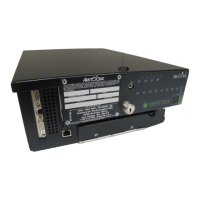
Vertex Jackpot Controller 579849 1
Test Cart – Equipped with:
LCD Monitor
USB Keyboard with Built-in USB Hub
USB Mouse
Vertex Power Cord
Vertex CAT5 Cable
N/A 1
PROCEDURE
S
S
T
T
E
E
P
P
1
1
:
:
M
M
o
o
u
u
n
n
t
t
a
a
n
n
d
d
C
C
o
o
n
n
n
n
e
e
c
c
t
t
V
V
e
e
r
r
t
t
e
e
x
x
A
A
.
. Retrieve the Vertex Jackpot Controller and Switch box from Tek Chek.
B
B
.
. Set the Jackpot Controller inside the holding bracket on the Test Cart as shown.
C
C
.
. Connect the Power cable into the Vertex box (See No.1 below)
D
D
.
. Connect the DVI cable (already connected to the LCD) to the Vertex box (See No. 2).
E
E
.
.
Plug one end of the CAT5 Vertex cable (supplied on Test Cart) into the Ethernet Port on the front
of the Vertex box (See No. 3 below).
F
F
.
. Open the front cover on the Vertex box, and connect the Keyboard USB cable (No. 4).
Question and Answer IconNeed help?

Do you have a question about the Viridian Aristocrat Vertex and is the answer not in the manual?

Summary

Procedure

Mount and Connect Vertex

Connect the Vertex Jackpot Controller and associated peripherals to the Test Cart, including power and data cables.

Mount and Connect Switch Box

Mount the 24-port Switch Box and connect CAT5 cables from the switch to each EGM in the bank.

Retrieve Vertex Identification

Locate and record the IP Address of the Vertex Jackpot Controller from its initial display.

Link Vertex with Bank

Configure the EGM's G2S Host Setup with the Vertex IP address and client port.

Start Controller

Initiate the Vertex Jackpot Controller service via the Vertex Shell interface.

Log into Vertex

Access the Vertex Administrator application by logging in with the specified username and password.

Link Casino with Vertex

Register the casino's name and address information within the Vertex system.

Link Machines with Vertex

Add each EGM's ID to the Vertex system and verify communication status.

Complete Integration

Shut down the system and return the Vertex Jackpot Controller and Switch to their designated location.

Viridian Aristocrat Vertex Specifications

General IconGeneral
BrandViridian
ModelAristocrat Vertex
CategoryController
LanguageEnglish