
 Need help?
Do you have a question about the ViscoTec Preeflow eco-CONTROL EC200-B and is the answer not in the manual?
The operating and maintenance manual must be kept with the dispenser manual at the site of use.
Defines symbols used in the instructions for keys, sections, warnings, and notes.
Specifies intended use in non-ex-proof environments and conditions that void the warranty.
Owner is responsible for qualified personnel who have read and understood instructions and regulations.
Owner must provide PPE and ensure all safety devices are checked regularly.
Daily visual check of the dosing system before starting work or shift change.
Only remove/insert dispenser mains plug when power is switched off to avoid damage.
Covers dangers from high pressure, air bubbles, and handling of chemical products.
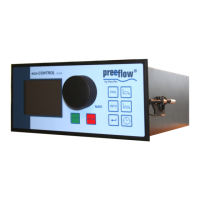
Details the graphic display, keys, NAVI wheel, and shortcut keys for controls.
Lists and describes all system connections, including sensors, motors, and power.
Explains symbols used on the screen for dosing quantity, time, flow rate, and error messages.
Details interaction between screen displays, input dialogs, function keys, and NAVI wheel operation.
Provides step-by-step instructions for safely starting up the dosing system and its components.
Explains that the system is switched on by applying mains power and has no dedicated switch.
Describes the procedure for shutting down the system, done in reverse order of starting up.
General overview of factors for reproducible dosing and saving program parameters.
Details Quantity program, Start/stop program, and Time program for dispensing operations.
Explains manual dosing, dosing with a foot switch, and using an external controller.
Preparation and steps for calibrating the dosing system for accurate dispensing.
Step-by-step guide for automatic calibration using the system's interface and displays.
Simplified recalibration option after component changes or batch variations.
Core configuration settings for the dosing system, including amount, time, and flow rate.
Methods for determining and setting the precise dosing amount using calculation or teach-in.
Detailed steps for using the Teach In function to empirically determine and set the dosing quantity.
Instructions for setting and saving the desired dosing time for programmed operations.
Details how to set, change, and save the flow rate within each dosing program.
Setting the value for sucking back medium to prevent dripping after dosing.
Guide for inputting and saving the material density for accurate weight-based dosing.
Procedure to change the stored material density value within existing or new programs.
Setting tolerance for primary pressure monitoring to trigger alarms and prevent dosing.
Inputting and confirming the tolerance value for primary pressure monitoring.
Explains how to set, activate, and release password protection for controller settings.
Step-by-step guide to activate password protection on the dosing system.
Procedure to unlock the controller by entering the correct password.
Instructions to deactivate password protection and regain full access to settings.
Description and technical data for controlling flow rate with analogue signals (V or mA).
Steps to enable or disable the analogue input function for external signal control.
Procedure to set the system's current time and date via the control interface.
How to switch system and error messages (alarms) on or off.
Procedure to clear error messages displayed on the system, including checking the cause.
Guide to creating new dosing programs, saving them, and using memory slots.
Instructions on how to select and activate a previously created dosing program.
Steps to modify parameters of existing dosing programs, including pause and pressure unit.
How to initiate and view dosing operations using quantity, time, or start/stop programs.
Procedure for bleeding the dispenser after filling or cleaning to prevent damage.
System information and settings related to operating data and chipcard management.
Displays system and operating times, and allows setting the language for the displays.
Instructions on how to reformat the chipcard, which deletes all data.
Lists common errors like no display or unsaved programs and their possible causes/corrections.
Details error messages like Overcurrent and Level critical, with causes and corrective actions.
Dosing control is maintenance-free; clean with a damp cloth after unplugging.
Provides dimensions, weight, voltage, performance, interface, and operating conditions.
Refers to the commissioning and maintenance manual supplied with the dispenser.
Information on interfaces, recommending to request details from the manufacturer or distributor.
 General
| Brand | ViscoTec |
|---|---|
| Model | Preeflow eco-CONTROL EC200-B |
| Category | Control Systems |
| Language | English |

 To Next Page