EN - 35
User Manual
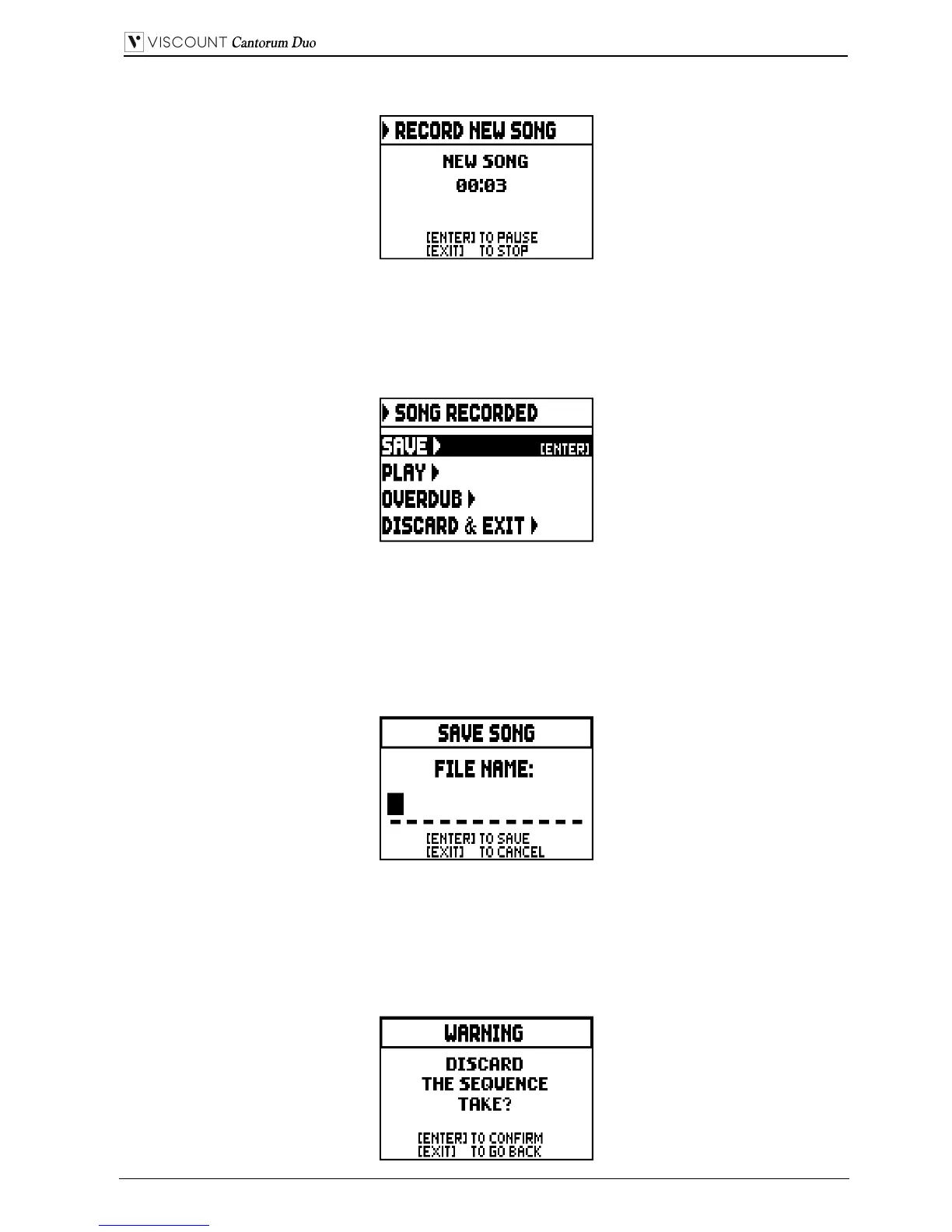
Once recording has started, the functions change to:
- [ENTER]: pause /restart recording.
- [EXIT]: stop recording.
Press [EXIT] to end the session. The display will show the screen allowing the recording just made to be
saved:
The functions displayed allow:
o SAVE: saving of the recording as a MIDI file.
o PLAY: playback of the recoding before saving it.
o OVERDUB: creation of a new recording to be added to the sequence just acquired (see par. 8.3).
o DISCARD AND EXIT: delete the recording and quit sequencer Record mode.
If the SAVE field is selected, the system prompts the user to assign a name to the MIDI sequence about
to be saved:
When composing the name, use the [FIELD ] and [FIELD ] buttons to move the cursor and
[VALUE +] and [VALUE -] to select the character. To confirm the name and proceed to save the data,
press the [ENTER] button; use [EXIT] to return to the previous screen, aborting the saving operation.
The message “FILE SUCCESFULLY SAVED” confirms that the file has been saved.
If [EXIT] is pressed while in the save screen (i.e. when the recording has been acquired but not saved), the
system warns that the recording is about to be lost:


 To Next Page