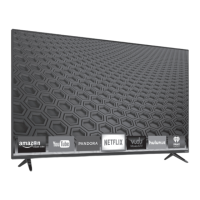
Need help?
Do you have a question about the VISIO D50u-D1 and is the answer not in the manual?
Read and follow all safety instructions to prevent electric shock or fire.
Attach the included stand securely to the TV base.
Use a VESA-standard wall mount rated for the TV's weight.
Connect external devices like Blu-ray players, game consoles, etc.
Connect audio devices like receivers or sound bars to the TV.
Connect your TV to the network using an Ethernet cable.
Customize picture parameters like brightness, contrast, and color.
Access advanced settings like Black Detail, Reduce Judder, and Motion Blur.
Adjust the white balance of the picture for different viewing conditions.
Control TV speakers, surround sound, volume leveling, and balance.
Connect to a wireless network by selecting SSID and entering password.
Choose between Antenna (Over-the-air) or Cable input sources.
Perform an auto or partial scan to find available channels.
Access, enable, lock channels, block content by rating, change PIN, and reset locks.
Connect USB drive and select media type (Music, Video, Photo) to play.
List of necessary components to view Ultra HD content.
Details on HDMI standards and HDCP 2.2 for protected content.
Troubleshoot unresponsive remote control by checking batteries or alignment.
Resolve 'No Signal' or no power problems by checking connections and outlets.
Improve image by adjusting settings, checking cables, or ensuring signal strength.
Fix no sound or distorted audio by checking volume, mute, and audio settings.


 To Next Page
 General