8
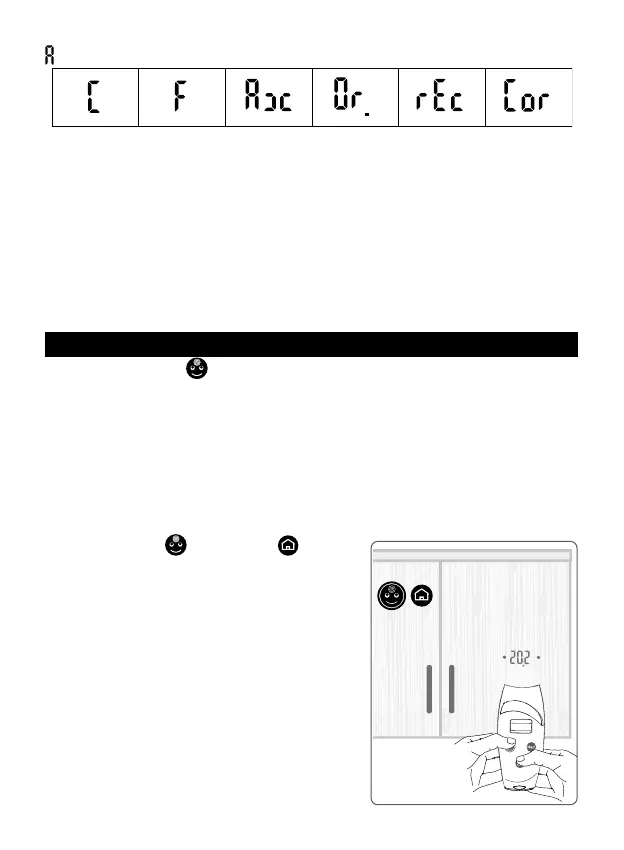
and after about 8 seconds it changes showing the settings in sequence:
2. When the new desired setting appears, release the button.
Only one setting can be modied at a time.
Note:
- if the thermometer was produced with the sole internal temperature setting, the
ORAL, RECTAL, AXILLA and CORE settings would not be available for changing.
- The measurement of the body temperature must be taken always at the centre of the
forehead (par. #4.1) or at the eyelid (par. #4.2), no matter what the current setting is: in
fact, the axillary, oral, rectal or core settings provide a forehead temperature value that
is a valid approximation of the axillary, oral or rectal/internal temperature respectively
(see par. #3).
8. ROOM TEMPERATURE CALIBRATION
IIf, pressing the “face”
button, the projection shows “CAL”, this means the device
needs to be stabilized (par. #2.1.2).
Therefore, the thermometer will not let you take a measurement, as the result would
not be correct.
On the contrary it will activate an Automatic Quick Calibration System (AQCS).
Now you have two possibilities:
1. Wait about 5 minutes without touching the thermometer, until the AQCS ends.
2. perform the MQCS (Manual Quick Calibration System) as follows:
• focus the thermometer on an internal wall or wardrobe with uniform temperature and
at a point approximately between 80 and 150 cm (30 and 60 inches) from the oor;
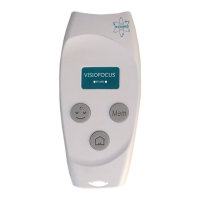
• press the “face”
and “home” buttons
(g. 8) simultaneously as suggested by their
ashing lights);
• once the right distance is reached (temperature
value between the dots, g. 5), release the but-
ton: the projection ash slowly
showing the room
temperature.
To ensure a reliable temperature reading, do not
focus the thermometer on an outside wall, win-
dow, source of heating or cooling (radiator, air
conditioner
, lamp, computer, surface in contact
with the human body, etc.).
• The thermometer is now ready to take a reading
and will keep the MQCS for 15 minutes.
Manual quick calibration (MQCS) can also be
Fig. 8
MQCS


 To Next Page