EasyManua.ls Logo

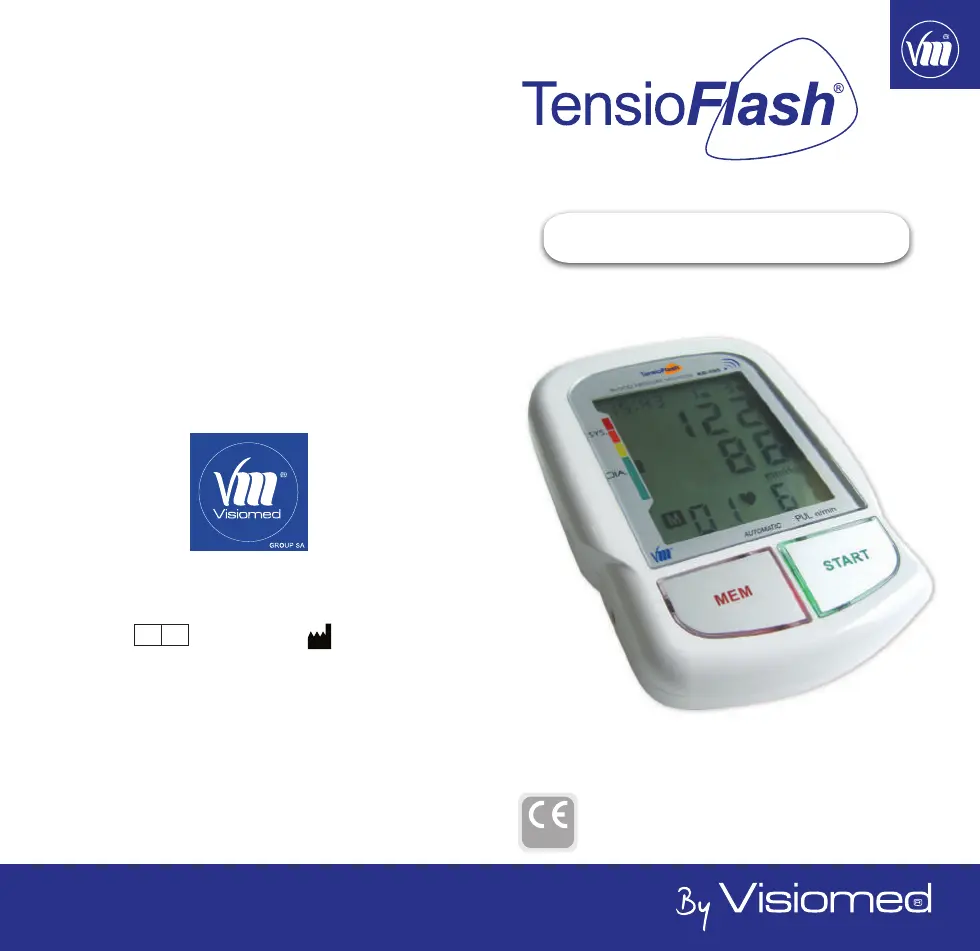
VISIOMED TensioFlash KD-595 - User Manual

VISIOMED TensioFlash KD-595
90 pages
Go to English
Print Icon
To Next Page IconTo Next Page
Loading...
Visiomed - KD-558 - Manuel d’utilisation - 032016 1
MANUEL D’UTILISATION
FR
KD-595
Distribué par / Distributed by
www.visiomed-lab.com
EC
REP
Marché Européen / European Market
Visiomed Group SA
Service clients / Customers service
8, avenue Kléber
75116 Paris - France
Tel : +33 8 92 350 334
Fax : +33 1 44 17 93 10
contact@visiomed-lab.fr
Made in P. R. C.
NEXMED Technology Co., LTD.
2
nd
Floor of N°.1 building, Jia An
Technological Industrial Park
67 District, Bao An
518101 Shenzhen - China
0197

Table of Contents

Questions and Answers

  • E
    esmithAug 2, 2025
    What to do if my VISIOMED Blood Pressure Monitor shows 'EE'?
    • H
      hardinrichardAug 2, 2025
      If the LCD of your VISIOMED Blood Pressure Monitor shows “EE”, it might be due to air leakage in the cuff. In this case, replace the upper arm cuff with a new one. Also, ensure the upper arm cuff is properly adjusted, not too tight, and that your hand and body are still during measurement. Readjust the cuff or send it back to the dealer to recalibrate pressure.
  • R
    reyesdannyAug 5, 2025
    Why is the battery icon on my VISIOMED Blood Pressure Monitor?
    • A
      Alexis CooperAug 6, 2025
      If the battery icon is on in your VISIOMED Blood Pressure Monitor, it indicates low battery power. Replace the battery and measure again.
  • N
    Nicholas DavisAug 10, 2025
    How to fix a VISIOMED TensioFlash KD-595 that displays nothing when pressing the power button?
    • E
      Elizabeth DownsAug 10, 2025
      If nothing is displayed when you push the power button on your VISIOMED Blood Pressure Monitor, it could be due to several reasons: there might be no batteries installed, the batteries may be worn out, or the polarities of the batteries may be placed wrongly. Insert batteries, replace them with new ones, or insert them with the correct polarities.
  • R
    Rachel GregoryAug 14, 2025
    Why are the systolic or diastolic pressure values too high on my VISIOMED Blood Pressure Monitor?
    • D
      Dr. Dean BuckAug 14, 2025
      If the systolic or diastolic pressure value is too high on your VISIOMED Blood Pressure Monitor, ensure that the hand with the cuff is at heart level and maintain the correct position and gesture during measurement. The cuff should also be attached properly, and you should avoid moving or speaking during the measurement.
  • T
    Tyrone RiceAug 18, 2025
    Why does my VISIOMED Blood Pressure Monitor show abnormal results?
    • K
      kathleengonzalezAug 18, 2025
      Abnormal results on your VISIOMED Blood Pressure Monitor might occur if the cuff wasn't correctly positioned or properly tightened. Ensure you apply the cuff correctly before trying again. Also, incorrect body posture during measurement or movement/insufficient relaxation can cause this issue. Review the posture suggestions before measurement and remain still and relaxed for 10 minutes prior to taking your blood pressure.
  • D
    Donna JohnsonAug 23, 2025
    What to do if my VISIOMED Blood Pressure Monitor displays EE error?
    • S
      Sonya NelsonAug 23, 2025
      If your VISIOMED Blood Pressure Monitor displays 'EE', it indicates a blood pressure measurement was impossible. Press the START button to restart the measurement. Ensure the cuff is correctly positioned on your wrist, maintain correct body posture, and avoid speaking or moving during the reading.
  • S
    Steven DillonAug 27, 2025
    How to fix a VISIOMED Blood Pressure Monitor that shows nothing when pressing START/STOP?
    • V
      Valerie GarciaAug 27, 2025
      If your VISIOMED Blood Pressure Monitor displays nothing when you press the START/STOP button, it could be due to several reasons: * No batteries are inserted: Insert batteries. * The batteries are used: Insert new batteries. * The batteries are not placed in the correct polarity direction: Observe correct battery polarity.

Summary

Introduction and Safety

Safety Instruction

General safety guidelines and precautions for using the blood pressure monitor.

Understanding Blood Pressure

Device Features and Preparation

Precautions Before Use

Important safety measures and considerations before operating the blood pressure monitor.

Features of the TensioFlash KD-595

Key functionalities and capabilities of the TensioFlash® KD-595 blood pressure monitor.

Main Unit

Identification of the main components and indicators of the blood pressure monitor.

Device Setup and Preparation

Battery, Time, and Voice Settings

Guide to installing batteries, setting time/date, and configuring voice options.

Suggestions Before Measurement

Recommendations for accurate blood pressure readings before starting a measurement.

Operating the Blood Pressure Monitor

How to Use the Upper Arm Cuff

Instructions on how to properly attach and position the cuff on the upper arm.

How to Measure Blood Pressure

Step-by-step guide on performing a blood pressure measurement using the device.

Recalling Record

Instructions on accessing and reviewing stored blood pressure measurement history.

Maintenance, Malfunction Prevention, and Specifications

How to Maintain and Store the Unit

Guidance on cleaning, maintaining, and storing the blood pressure monitor for longevity.

How to Prevent a Malfunction

Advice on avoiding common issues and ensuring the proper functioning of the device.

Specifications

Technical details and performance specifications of the blood pressure monitor.

Troubleshooting

VISIOMED TensioFlash KD-595 Specifications

General IconGeneral
BrandVISIOMED
ModelTensioFlash KD-595
CategoryBlood Pressure Monitor
LanguageEnglish

Related product manuals