www.visioneng.com/support Ultra HD digital video inspection system
CONFIGURATIONS
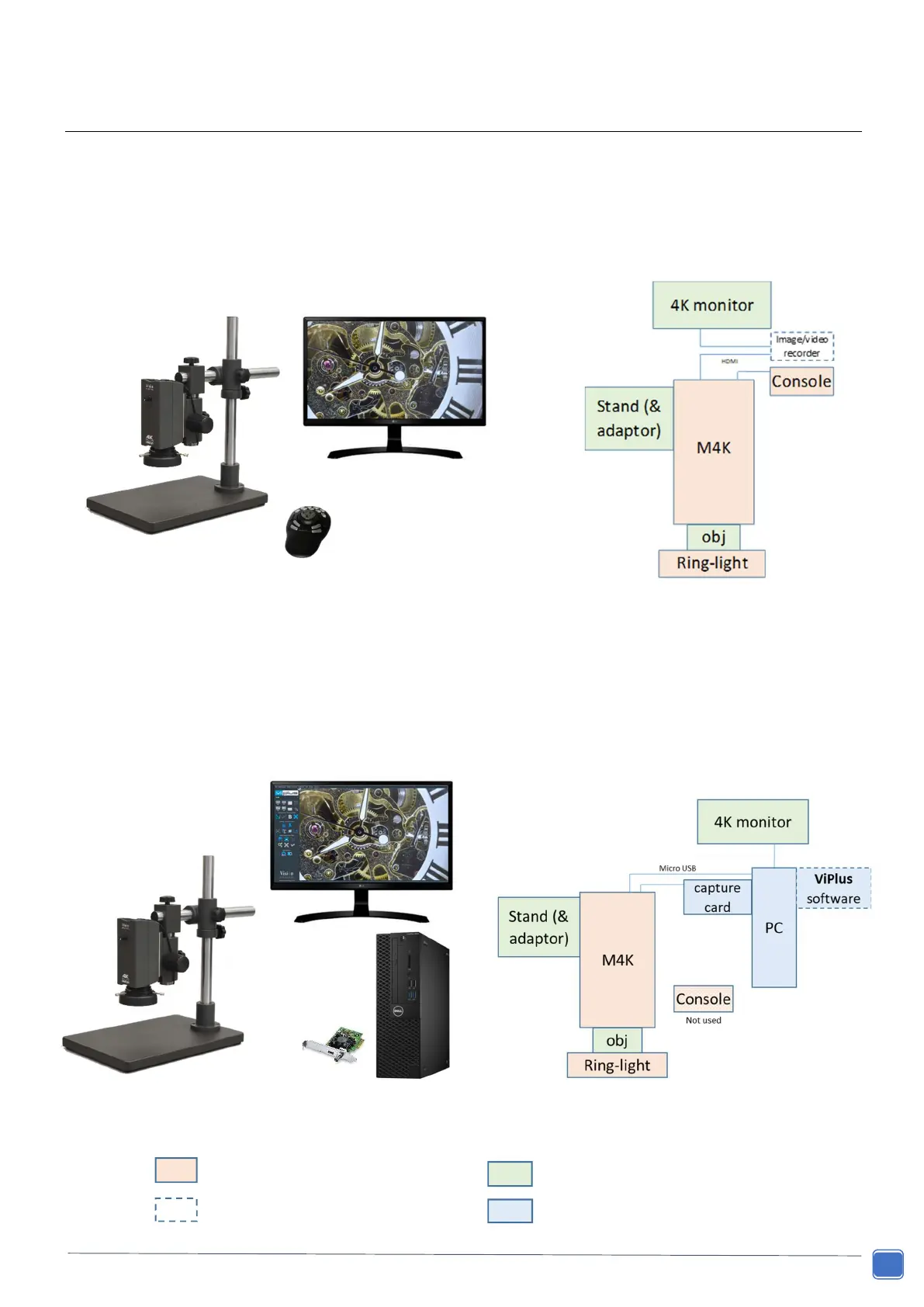
Console Configuration
The Makrolite 4K’s HDMI port connects directly to a 4K monitor. Full, stand-alone, control is via a console/keypad.
Controls include: zoom, autofocus/manual focus, aperture & exposure settings, gain, white balance, objective
selection, screen size selection, image flipping, and access to 4 pre-sets buttons whereby all of these settings can
be saved/loaded for rapid set-up.
PC Configuration
The PC version extends functionality through the use of Windows software. The key software option is ViPlus
which provides: full camera control, image capture, measurement, analysis and reporting/tabulation. Saved
calibration files store all camera settings (= pre-sets). Video capture is also possible e.g. using the software
provided with the capture card (see page 22).
= required for PC version


 To Next Page