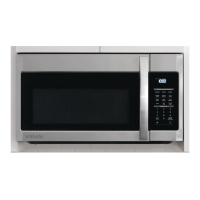
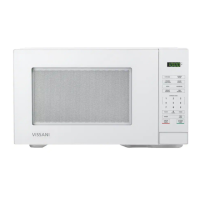
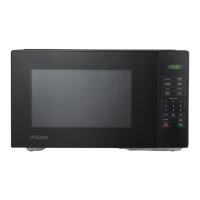
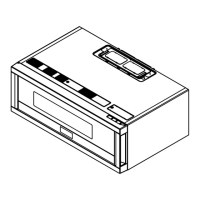
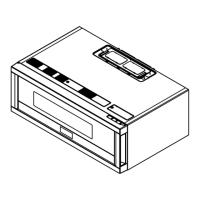
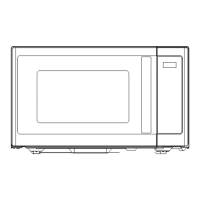
This document is a comprehensive Use and Care Guide for the Vissani Microwave Oven, Model # EC042A2KJ. It provides detailed instructions for safe operation, installation, cooking functions, and maintenance, ensuring users can effectively and safely utilize their appliance.
Function Description
The Vissani Microwave Oven is a versatile kitchen appliance designed for heating, cooking, and drying food using microwave energy, convection heat, or a combination of both. It offers a wide range of cooking functions to accommodate various culinary needs, from simple reheating to more complex baking and roasting.
Core Cooking Functions:
- Microwave Cook: This is the primary function for rapid heating and cooking using microwave energy. Users can select from ten different power levels (PL1 to PL10, representing 10% to 100% power) and set cooking times up to 99 minutes and 99 seconds. This allows for precise control over the cooking process, from gentle warming to fast boiling.
- Convection Cook: This function utilizes a heating element and a fan to circulate hot air within the oven cavity, similar to a traditional oven. It's ideal for baking, roasting, and browning foods. The oven offers a range of temperature selections from 100°F to 425°F. Users can choose to preheat the oven to the desired temperature before placing food inside or start cooking without preheating for certain recipes.
- Combination Function (Convection + Microwave): This mode combines the speed of microwave cooking with the browning and crisping capabilities of convection heat. It's particularly useful for dishes that require both quick cooking and a desirable texture, such as casseroles or roasted meats. Temperature selections for this mode range from 170°F to 375°F.
- Warm Hold Function: Designed to keep cooked food warm for an extended period, this function can be activated after any microwave, convection, combination, defrost, or multi-stage cooking cycle. It maintains food at a serving temperature for up to 99 minutes.
Specialized Cooking Functions:
- One Touch Start: For quick and convenient cooking, this feature allows instant cooking at 100% power for 1 to 6 minutes by pressing the corresponding number pad. The cooking time can be increased in 30-second increments by pressing the START/+30Sec. pad. During cooking, the time can be adjusted in 10-second increments using the More or Less pads.
- Time Defrost: This function allows users to manually input a defrosting time for various foods. The oven will then defrost the food based on the set duration.
- Auto Defrost Function: This intelligent defrosting mode is pre-programmed for specific food types: Meat (dEF1), Poultry (dEF2), Fish (dEF3), and Bread (dEF4). Users select the food type and input the weight, and the oven automatically calculates the optimal defrosting time and power level. For meat, poultry, and fish, the oven will beep to remind the user to turn over the food halfway through the cycle.
- Auto Bake & Roast Function: Similar to Auto Defrost, this feature offers pre-programmed settings for common baked and roasted items, such as Frozen Pizza (Ab-1), Muffins (Ab-2), Biscuit/DinnerRoll/Bread Stick (Ab-3), Frozen French Fries (Ab-4), Beef (Ar-1), Whole Chicken (Ar-2), Turkey Breasts (Ar-3), and Pork (Ar-4). Users select the menu and adjust the weight or portion, and the oven manages the cooking process.
- Sensor Cook: This advanced feature uses a sensor to detect the humidity released by food as it cooks, automatically adjusting cooking time and power levels for optimal results. Pre-programmed options include Potato (SC-1), Fresh Vegetable (SC-2), Frozen Vegetable (SC-3), Frozen Entree (SC-4), Rice (SC-5), Casserole (SC-6), Ground Meat (SC-7), Fish/Seafood (SC-8), Scrambled Eggs (SC-9), and Frozen Pizza (SC-0).
- Sensor Reheat: Similar to Sensor Cook, this function automatically reheats various food types to an ideal temperature. Options include Dinner Plate (Sr-1), Soup/Sauce (Sr-2), and Casserole (Sr-3).
- Popcorn: A dedicated function for popping popcorn, allowing users to select different weights (1.75 oz, 3.0 oz, 3.5 oz) for perfect results.
- Air Fry Chart: This feature provides pre-programmed settings for various air-fried foods, including Frozen French Fries (H1), Frozen Onion Rings (H2), Frozen Chicken nuggets (H3), Chicken wings (H4), Chicken legs (H5), Chicken Tenders (H6), Coconut Tenders (H7), Fish Sticks (H8), Spring Rolls (H9), and Mozzarella Sticks (H10).
- Favorite Function: This allows users to program and save up to three custom cooking procedures, including multi-stage cooking. This is useful for frequently prepared dishes, enabling quick recall and start with a single button press.
- Multi-Stage Cooking: The oven supports up to two cooking stages. If one stage is defrosting, it will automatically be set as the first stage. This allows for complex cooking sequences, such as defrosting followed by microwave cooking at a specific power level.
Usage Features
The Vissani Microwave Oven is designed with user convenience and safety in mind.
Control Panel and Display:
- The oven features a clear digital display that shows the time, cooking settings, and remaining cooking time.
- A user-friendly control panel with dedicated buttons for each function (Microwave, Convection, Combo, Defrost, Sensor Cook, Popcorn, etc.) and a numeric keypad for entering times and weights.
- "More" and "Less" pads allow for incremental adjustments to cooking times or temperatures during certain functions.
- The "START/+30Sec." pad initiates cooking and can also add 30 seconds to ongoing cooking cycles (except for Weight Defrost and Kitchen Timer).
- The "STOP/Cancel" pad stops any ongoing operation or clears settings.
Time and Timer Functions:
- Clock Setting: The oven allows users to set the current time in a 12-hour format.
- Kitchen Timer: A separate timer function that can be set for up to 99 minutes and 99 seconds, useful for timing other kitchen tasks independently of the oven's cooking functions.
Safety Features:
- Grounding Instructions: The appliance must be properly grounded to reduce the risk of electric shock. It comes with a 3-wire grounding plug and requires a properly installed and grounded outlet.
- Precautions Against Microwave Energy Exposure: Strict guidelines are provided to prevent exposure to excessive microwave energy, including never operating the oven with the door open, ensuring the door seals are clean and undamaged, and not tampering with safety interlocks.
- Child Lock Function: To prevent unintended operation, especially by children, the oven can be locked by pressing and holding the STOP/Cancel pad for 3 seconds. "LOC" will display when activated.
- Cooking End Reminder Function: At the end of a cooking cycle, the oven will beep five times and display "End" to alert the user.
- Turntable Reset Function: After cooking, if the turntable is not in its initial position, it will automatically reset. This function can be turned on or off.
Energy Saving Features:
- Energy Saver Mode: This mode can be activated from standby to reduce power consumption.
Audible Feedback:
- The oven provides a single beep to confirm a correctly pressed pad. If a pad is not correctly pressed, no beep sounds.
- Users can turn the buzzer sound on or off by long-pressing number 8 for 3 seconds in waiting state.
Utensil Guidelines:
- The guide provides a comprehensive list of materials safe for microwave oven use (e.g., browning dishes, glass dinnerware, paper towels, microwave-safe plastic) and materials to be avoided (e.g., aluminum trays, metal-trimmed utensils, paper bags, plastic foam, wood) to prevent arcing, fire, or contamination.
Maintenance Features
Proper maintenance ensures the longevity and safe operation of the Vissani Microwave Oven.
Cleaning:
- The guide emphasizes using mild, non-abrasive soaps or detergents with a sponge or soft cloth for cleaning the door and oven surfaces that come into contact when the door is closed. This helps maintain the integrity of the door seals.
- Regular cleaning of the oven cavity is recommended to prevent food spills from accumulating, which could cause arcing or affect performance.
Troubleshooting:
- A detailed troubleshooting chart is provided to help users diagnose and resolve common issues such as the oven not starting, arcing or sparking, unevenly cooked food, overcooked or undercooked food, and improper defrosting.
- For each problem, possible causes (e.g., unplugged cord, open door, incorrect settings, unsuitable cookware, restricted ventilation) and corresponding remedies (e.g., plugging in, closing the door, checking instructions, using microwave-safe cookware, turning/stirring food, cleaning cavity) are listed.
- Users are advised to contact Vissani Customer Service or an authorized service center if problems persist after attempting the suggested remedies.
General Care:
- The guide stresses the importance of not operating the oven if it is damaged, particularly if the door, hinges, latches, or door seals are compromised. Any repairs should only be performed by qualified service personnel.
- It advises against covering or blocking any openings on the appliance and storing the appliance outdoors or near water sources.
- Keeping the power cord away from heated surfaces and ensuring it does not hang over the edge of a table or counter are also highlighted as important safety and maintenance practices.

 Need help?
 General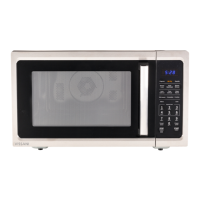

 To Next Page