
 Need help?
Do you have a question about the Vista Shops Smart Watch GT08 and is the answer not in the manual?
Details on setting a password to prevent unauthorized use and protect private information.
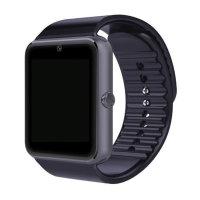
Overview of the product.
Instructions on navigating the menu and running applications on the smart watch.
Guide on how to change the watch face style, with 3 available options.
Methods to download the necessary application for smart watch synchronization.
Instructions for enabling and using the sync application for notifications.
Steps to connect the smart watch to a smartphone via Bluetooth for data sync.
Syncing messages and receiving notifications from a smartphone.
Handling call records and using Bluetooth dialer for calls.
Features like Pedometer, Sleep Monitor, and Sedentary Remind.
Using the Music Player and Remote Camera functions.
Key usage advice including charging, Bluetooth, and notification feature details.
Solutions for issues like not powering on, automatic shutdown, battery life, and call quality.
 General
| Resolution | 240 x 240 pixels |
|---|---|
| Bluetooth | Bluetooth 3.0 |
| Camera | 0.3MP |
| SIM Card Slot | Yes, Micro SIM |
| External Memory | Supports up to 32GB (TF card) |
| Network | 2G |
| Compatibility | Android |
| Connectivity | Bluetooth, USB |
| Sensors | Pedometer |
| Features | Calendar, Calculator |

 To Next Page