PN 51340 User Guide: Cleaning and Disinfecting Guide for the Vevo 3100
imaging system and MX series transducers Rev 1.0
Page 2 of 6
Introduction
FUJIFILM VisualSonics tests disinfectants and disinfectant devices for use with its systems,
transducers, and accessories. This document includes instructions for cleaning and disinfecting the
Vevo 3100 ultrasound system and MX series transducers.
Disinfectants and cleaning methods listed are recommended by FUJIFILM VisualSonics
for compatibility with product materials, not for biological effectiveness. Refer to the
disinfectant label instructions for guidance on disinfection efficacy and appropriate uses.
The level of disinfection required for a device is dictated by the type of tissue it contacts
during use. To avoid infection, ensure that the disinfectant type and the solution
strength and duration are appropriate for the equipment. For information, see the
disinfectant label instructions and the recommendations of the Association for
Professionals in Infection Control and Epidemiology (APIC) and the FDA.
To avoid infection:
Always use protective eyewear and gloves when performing cleaning and
disinfecting procedures.
Ensure that the solution expiration date has not passed.
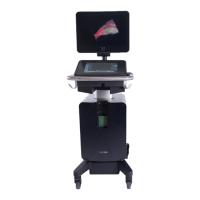
Ultrasound system
The ultrasound system includes the cart, the monitor, the touch panel (Control Panel), the
transducer/gel holding cups and cable hooks.
To avoid electrical shock, before cleaning, disconnect the system from the power
supply.
Do not spray cleaners or disinfectant directly on the system surfaces. Doing so may
cause solution to leak into the system, damaging the system and voiding the warranty.
Do not use strong solvents such as thinner or benzene, or abrasive cleansers, since
these will damage the exterior surfaces.
Use only recommended cleaners or disinfectants on system surfaces. Immersion-type
disinfectants are not approved for use on system surfaces.
When you clean the system, ensure that the solution does not get inside the system
controls.
Do not scratch the LCD screen.
Cleaning and disinfecting the ultrasound system
Clean the ultrasound system prior to disinfecting to remove any particulate matter.
To clean and disinfect the ultrasound system
1. Turn off the system.
2. Disconnect the system from power supply:
Press the Power button in the “0” position and then disconnect the AC input power cord
from the stand base.
3. Clean the exterior surfaces using a soft cloth lightly dampened in a mild soap or detergent
cleaning solution to remove any particulate matter.


 To Next Page
 Loading...