Need help?
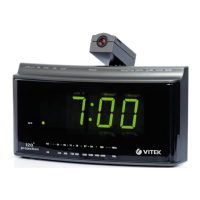
Do you have a question about the Vitek VT-3518 and is the answer not in the manual?
Adjust the radio to the desired station using the tuning knob for optimal reception.
Set the desired volume level using the volume control knob for comfortable listening.
The radio will switch on at the selected alarm time with the pre-tuned station and volume.
The buzzer alarm will activate at the selected time when the volume knob is set to 'BUZZ'.
Press SLEEP BUTTON and rotate dial to set desired sleep time from 1 hour 59 min to 01 min.
Set alarm time, tune radio to desired station, and set power to 'AUTO' for sleep/wake.
 General
| Brand | Vitek |
|---|---|
| Model | VT-3518 |
| Category | Clock Radio |
| Language | English |

 To Next Page