ENGLISH
9
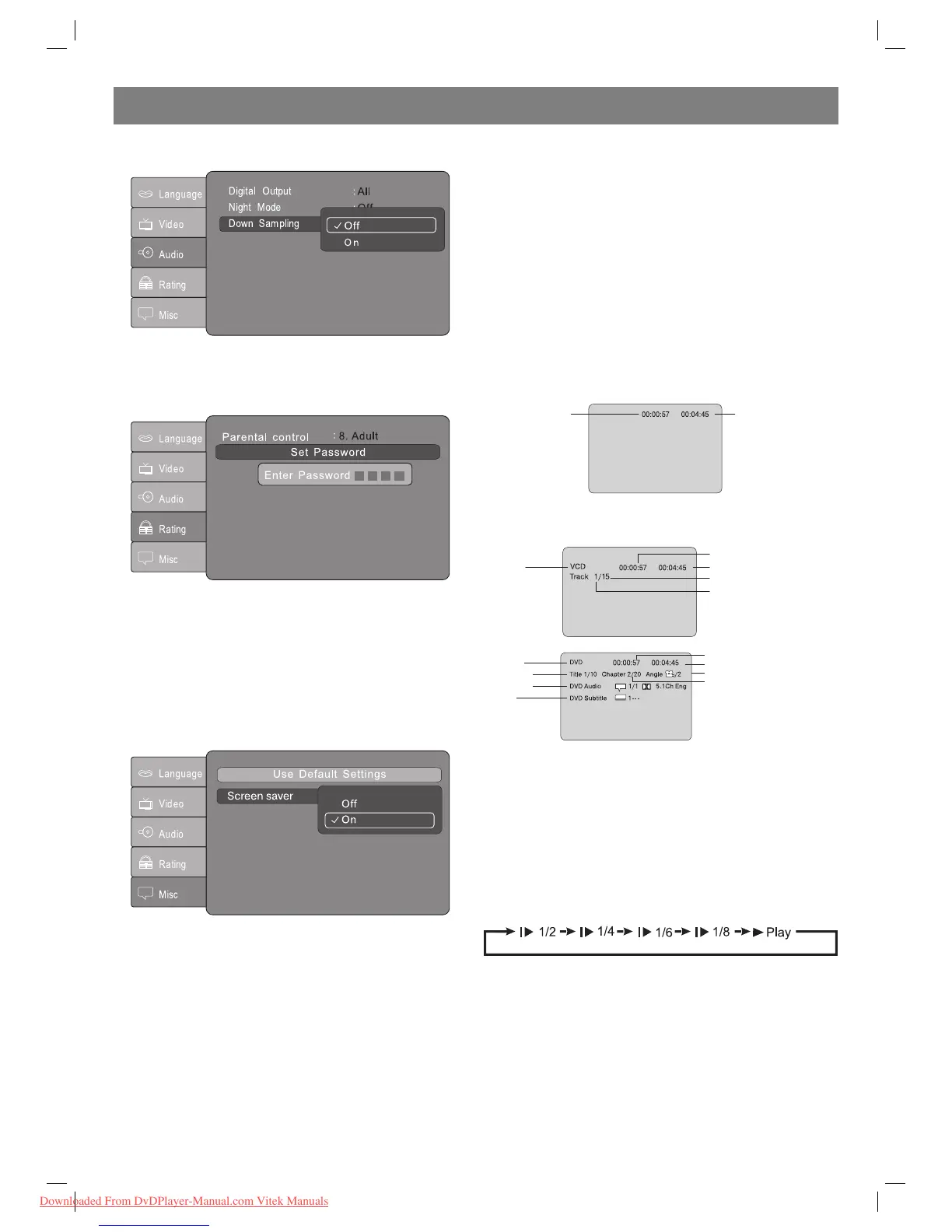
[Down sampling] submenu:
А. Select the required menu item with Up/Down/Left/Right buttons.
В. Press the Enter button to confirm.
С. Press the Up button to return to the Setup menu.
D. Press the Setup button to exit the Setup menu.
Rating Setup
Select the [Rating] in the Setup menu and press the Enter button to
enter the [Rating] submenu:
Enter the password to lock or to open [Rating] submenu:
Enter four digits of the password with number keys 09 and then press
ENTER to confirm the password.
Notes: If you do not remember the password use default value “8888” to
unlock the menu.
Select the [Rating] and press Enter to enter the [Rating] submenu:
А. Keep on pressing Enter to select the following modes: 1) Kid Safe, 2)
G, 3) PG, 4) PG13, 5) PGR, 6) R, 7) NC17, 8) Adult.
В. Press the Setup button to exit the Setup menu.
Notes: Enter the password to change [Rating].
Misc setup
А. Select the [Various settings] submenu with the Left/Right buttons.
В. Press the Enter button to confirm.
С. Press the Setup button to exit the Setup menu.
Karaoke function
External Karaoke amplified function.
Connect Microphones with the Microphone Jacks MIC1 ,MIC2 which
are on the rear panel. Adjust the volume of microphone through the
volume knobs which are on the front panel.
Remote Control Operation
POWER
During playback, press POWER to stop the player and return to
standby mode.
While the player is in standby, press POWER to resume normal
operation.
TITLE
During DVD playback, press TITLE to display the DVD title menu or
play the first title.
Notes: This function is subject to the disc.
РВС
During DVD playback, press PBC to display the disc menu of the
current title.
During VCD/SVCD playback, press PBC to select the mode of
playback: PBC ON or PBC OFF.
Notes: 1) PBC is play back control used to navigate VCDs. 2) The
function is subject to the disc.
OPEN/CLOSE
To open the disc tray, press OPEN/CLOSE.
To close the disc tray, press OPEN/CLOSE again.
Display
During DVD playback, press the Display button to display the current
status of the time counter.
Elapsed time of the
current track/chapter
Remaining time of the current
track/chapter
Press DISPLAY once again to display additional information about the
played disk.
Disc type
Elapsed time of the current track
Remaining time of the current track
Total track
Current track
Disc type
Current title
udio type
Subtitle
Elapsed time of the current chapter
Remaining time of the current chapter
Angle
Current chapter
“0 10+”
The buttons are used to input time and numbers of titles, chapters
and trucks.
If the display shows items with digits press 09 to select the required
item and press Enter to confirm.
During CD or VCD playback (if РВС is switched off) press 09 to
select the truck directly and then press Enter to confirm.
Slow
During DVD, VCD or SVCD playback press Slow playback to turn
down the rate of movie playback.
Due to every next pressing Slow playback the disk will be played with
rate equal to 1/2, 1/4, 1/6 and 1/8 of normal rate in the specified
order:
Press Play to return to the normal playback rate.
PREV
During DVD, CD or VCD playback press Previous to play previous
chapter, title or truck.
NEXT
During DVD, CD or VCD playback press Next to play next chapter,
title or truck.
Fast rewind (FW)
During DVD, CD or VCD playback press FW to start fast rewinding.
The player will rewind the disk with rate which is 2, 4, 8,16 or 32 times
more than normal rate in the specified order:
4002IM_new.indd 94002IM_new.indd 9 20.08.2009 12:38:5520.08.2009 12:38:55
Downloaded From DvDPlayer-Manual.com Vitek Manuals


 To Next Page
 Loading...