25
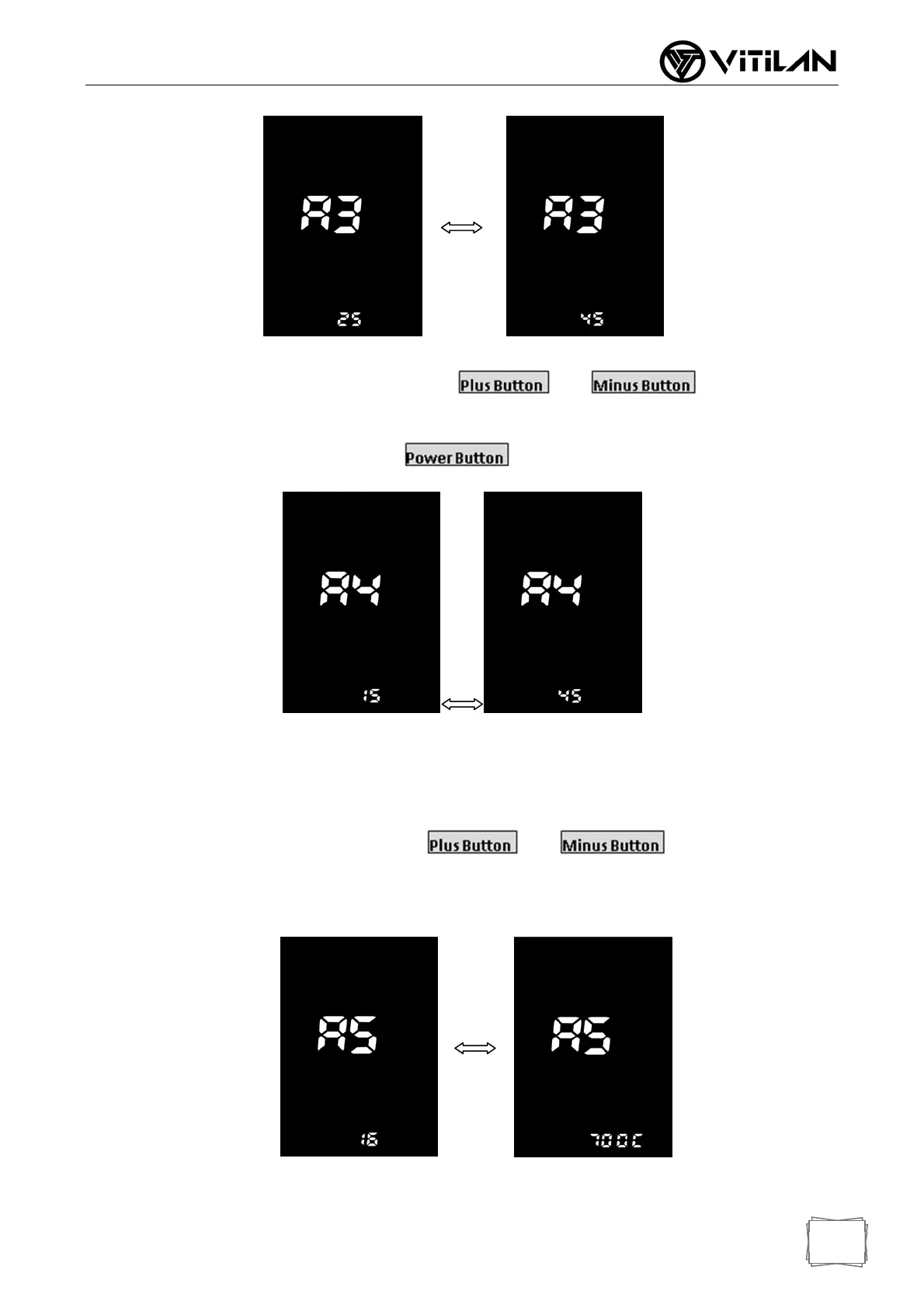
Speed Limiting Adjustment Interface
Currant Limiting Adjustment: item A4, Press and to adjust the
current limit value. The default is 15A. Users can set the current limit value according to their needs.
After the adjustment is completed, press to confirm and exit.
Currant Limiting Adjusting Interface
*Speed and current are restricted by the motor and controller at the same time and may not be able to reach
the set value.
Wheel Diameter Selection: item A5, press and to switch the display
16/18/20/22/24/26/27 / 700C / 28/29/30/31/32, select the corresponding wheel diameter, the unit is inch.
Incorrect selection of wheel diameter will cause abnormal speed.
Wheel Diameter Selection Interface


 To Next Page