Standards Certifications and Listings
47CFR Part 15
Subpart B, Class B;
*For complete regulatory compliance information,
go to:
vivint.com/legal/fcc
Technical / Hardware Specifications
10.7 (h) x 6.6 (w) x 6.6 (d) cm / 4.2 (h) x 2.6 (w) x 2.6 (d) in
Input: 100-240V @ 50-60Hz AC, 0.2A
Output: 12V DC, 1.5A
153° diagonal (vertical and horizontal)
3 high-powered IR LEDs (850nm) with IR cut filter
64GB micro SD card, onboard DVR support (local storage)
Built-in speaker and microphone
Wi-Fi connection: WLAN 2.4GHz/5GHz; 802.11 b/g/n
1 Mbps upload recommended
Environmental Temperature
-4°F to 113°F (-20°C to 45°C)
Yes (IP33, with UV protection)
FCC Regulatory Compliance Statement*
CAUTION
: Changes or modifications not expressly approved by the party responsible for compliance could void the user's authority to operate the equipment.
This device complies with Part 15 of the FCC Rules. Operation is subject to the following two conditions:
1. This device may not cause harmful interference; and
2. This device must accept any interference received, including interference that may cause undesired operation.
This equipment has been tested and found to comply with the limits for a Class B digital devic
e, pursuant to Part 15 of the FCC Rules. These limits are designed to provide reasonable protection against harmful interference
in a residential installation. This equipment generates, uses, and can radiate radio frequency energy and, if not installed a
nd used in accordance with the instructions, may cause harmful interference to radio
communications. However, there is no guarantee that interference will not occur in a particular installation. If this equipme
nt does cause harmful interference to radio or television reception, which can be determined by
turning the equipment off and on, the user is encouraged to try to correct the interference by one or more of the following m
easures:
• Reorient or relocate the receiving antenna.
• Increase the separation between the equipment and receiver.
• Connect the equipment into an outlet on a circuit different from that to which the receiver is connected.
• Consult the dealer or an experienced radio/TV technician for help.
FCC (U.S.) Radiation Exposure Statement:
This equipment complies with FCC radiation exposure limits set forth for an uncontrolled environment. This equipment should be installed and operated with minimum distance 20
(7.9 in) between the radiator and your body.
© 2023 Vivint Inc. All Rights Reserved. | www.vivint.com | 1-800-216-5232 | Device M/N: CM07 | Doc P/N: 77-600061-001 Rev. 1.0
Wireless Product Notice
Wireless communications hardware provides reliable communication; however, there are some limitations which must be observed.
• The transmitters are required to comply with all applicable wireless rules and regulations. As such, they have limited transmitter power and limited range.
• Wireless signals may be blocked by radio signals that occur on or near the wireless operating frequencies.
Troubleshooting Tips
Possible failures
with the indoor camera and what to do in order to resolve:
• Camera is not adding (learning in) –
Power cycle the camera
Factory reset the camera (press & hold the top button for 10-15 sec)
Reset the panel/hub network module
Reboot the panel/hub
• Camera is offline –
Verify the camera is receiving power
Power cycle the camera
Factory reset the camera (press & hold the top button for 10-15 sec)
• Two-way talk is not working –
Make sure the button is being pressed when talking
Verify the network upload speed is sufficient
Power cycle the camera
What the LED Light Colors Mean
The
indoor camera has an LED light above the lens that illuminates different
in order to indicate various functions and status, as described below.
• Green (Breathing) — Booting up, AP mode, ready to pair/connect
• Green (Blinking) — WPS connection in progress (configuration)
• Green (Fast Blinking) — WPS connection success
• Red (Solid) — WPS connection failure
•
(Solid) — Camera online
• Blue (Solid) — Two-way talk
• Blue (Blinking) — Updating firmware
• Red (Blinking) — Factory reset (press and hold)
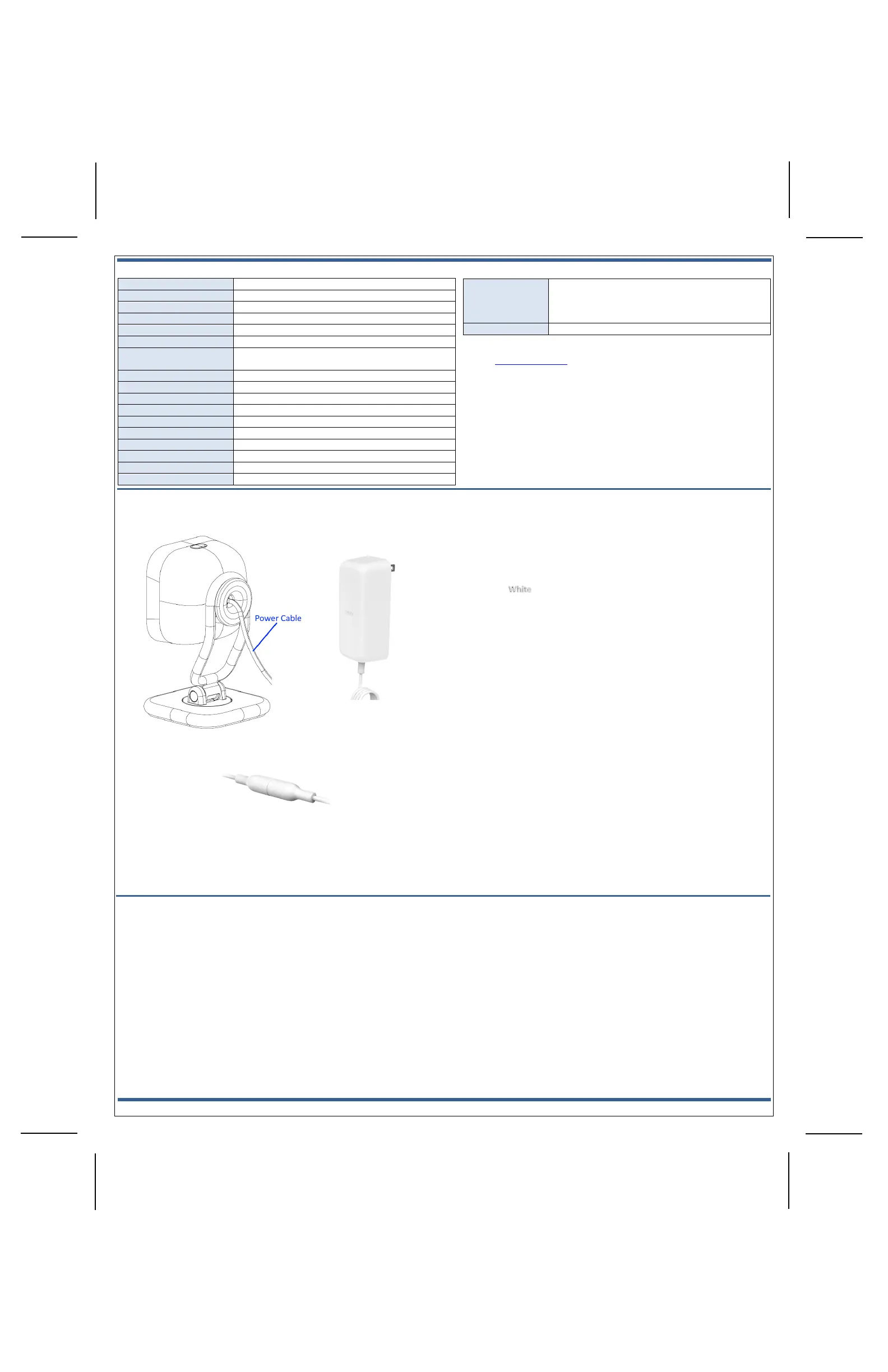
Indoor Camera Pro (back view) —
Power Cable Barrel Connectors —


 To Previous Page
 Loading...