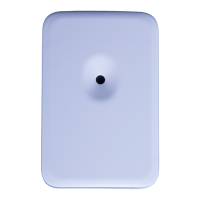
Vivint Passive Infrared Motion Detector (PIR2) is a wall-mounted wireless device that provides wide-
as part of the overall Vivint security system. The PIR2 device can be mounted on a flat wall or in a corner.
high sensitivity, the PIR2 has a maximum protection area of 40 feet (12.2 m) deep by 50 feet (15.2) wide.
For best coverage, mount the PIR2 device so that the likely
direction of intruder motion is across the protected area.
PIR2 device is tamper-protected; it will transmit a signal to the control panel if the cover is taken off or if the
is removed from its mounting location. The PIR2 also provides false alarm protection by being pet immune for
up to 80 pounds (36.3 kg). For more information, see the "Settings for Pet Immunity" section below.
This document includes installation
, usage, and test instructions, as well as technical specifications and regulatory
Passive Infrared Motion Detector
-PIR2-345)
PRINT INSTRUCTIONS: REFERENCE SHEET V-PIR2-345 P/N 77-000040-001 REV 1.1 |
INK:
BLACK | MATERIAL: 20 LB MEAD BOND | SIZE: 8.50" X 11.00" SCALE 1:1 |
BI-FOLD VERTICAL, BI-FOLD HORIZONTAL (TO FIT IN BOX)
NOTE: The PIR2 lens is designed to work best when mounted flat against the wall at 7.5 feet (2.3 m). If the mounting angle is
changed, the protected area, pet immunity, and sensitivity can be greatly affected.
1. Use the supplied short screw to secure the PIR2 back plate (part A) to the angle adjuster (part B).
2. Mount the selected bracket — the corner mount (part C) or the flat wall mount (part D) — at a height of 7.5 feet (2.3 m)
using the supplied long screws and anchors.
3. Place the assembly of parts A and B on the shaft of bracket C or D.
4. Screw the head screw with washer into the top of part B to hold the assembly to the shaft of C or D.
5. Attach the main body of the PIR2 to the mounted back by sliding it down onto the back plate.
Installation Instructions
(
For more details about adding wireless sensors to the system, go to the Support page at: Vivint.com,
and the Knowledge In Motion site at:
corp.vivint.com/sites/KIM/)
Mounting without a bracket (recommended):
1. Mount the PIR2 back plate (part A) 7.5 feet (2.3 m) above the floor with arrows pointing up. The PIR2 can be
mounted on a flat wall or in a 90-degree corner. To mount on a flat wall, secure the PIR2 back plate to the wall using
the two supplied long screws in the center two holes of the PIR2 back plate. To mount in a corner, secure the device
by using the two provided screws on one side of the back plate.
2. Replace the front part of the device onto the back plate by sliding it down into place.
• Mount so that the likely direction of intruder motion is across the protected area.
• Use High sensitivity when it is anticipated an intruder may only cover a small portion of the protected area.
• Low sensitivity is recommended for settings with pets when intruders are expected to cover a larger portion of the protected area.
• Do not install where the detector is exposed to direct sunlight or above strong sources of heat.
• Ensure the detection area does not have obstructions (curtains, screens, large pieces of furniture, plants, etc.) that may block the coverage pattern.
• Avoid mounting locations that contain objects likely to produce a rapid change in temperature such as central heating, ducts, open flames, etc.
• Do not mount in the middle of the end of a hallway. It is better to mount in the corner of the hallway.
• If pet immunity is desired, mount where animals cannot come within six feet of the detectors by climbing on furniture or other objects. Also, do not
aim the detector at a stairway or furniture or other objects that can be climbed by an animal.
Settings for Pet Immunity
Small Pet
Immunity:
Used in environments where small animals may be present in the monitored
area while the system is armed. Do not use
this setting if any given animal
weighs more than 40 pounds
(18.1 kg). On this setting, the PIR2 coverage
eet (15.2 m) wide by 40 feet deep (12.2 m). (Note: Set the jumper
pet icon.)
Immunity:
Used in environments where larger
animals may be present while the system
is armed. This setting is generally acceptable for animals up to 80 pounds
36.3 kg). On this setting, the PIR2 coverage area is 20 feet (6.1 m) wide by
eet (6.1 m) deep. (Note: Set the jumper to the large pet icon.)
NOTE:
Many factors can influence the pet immunity abilities of PIR motion
detectors:
• Short-haired animals generally put off more heat causing the
detector to alarm easier than it would with a longer-haired animal.
• If animals jump onto a piece of furniture or climb stairs it may cause
the detector to believe the animal is larger than it really is.
• If multiple animals are close together the detector may see them as
one, larger animal.
Settings:
High — recommended when a possible intruder is expected to cover
only a small portion of the protected area. (Set the jumper to HI.)
Low — recommended when a possible intruder is expected to cover a
larger portion of the protected area, and/or to
when pets are present. (Set the jumper to LO.)

 Need help?
 General

 To Next Page