BLUETOOTH SETUP
6.
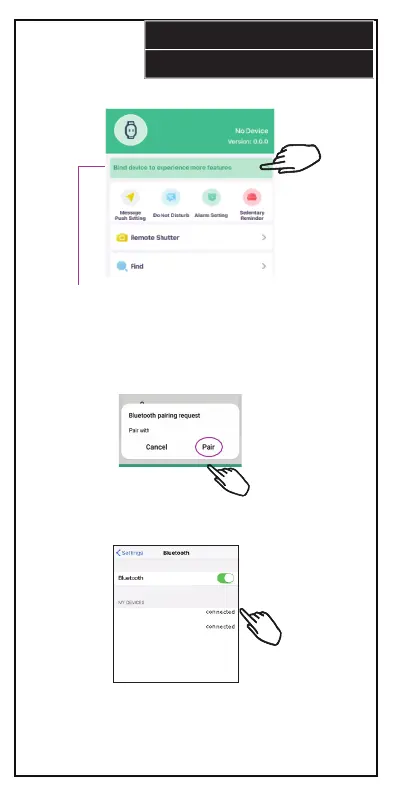
5. View if your smartphone is paired with your smart watch.
If not, press here to connect.
The app will automatically list any nearby Bluetooth
devices. Select your watch “SMRTW20” to bind it with the app.
6. When the Bluetooth pairing dialog appears, press “Pair”.
“SMRTW20”
“SMRTW20”
7. Open your phone’s Bluetooth setting’s menu and select
the device named “SMRTW20” to connect. Note that you will now
have two SMRTW20 Bluetooth connections. One connection sends
data between your watch and your phone, the other connection is
for audio.


 To Next Page