ACTIVITY
8.
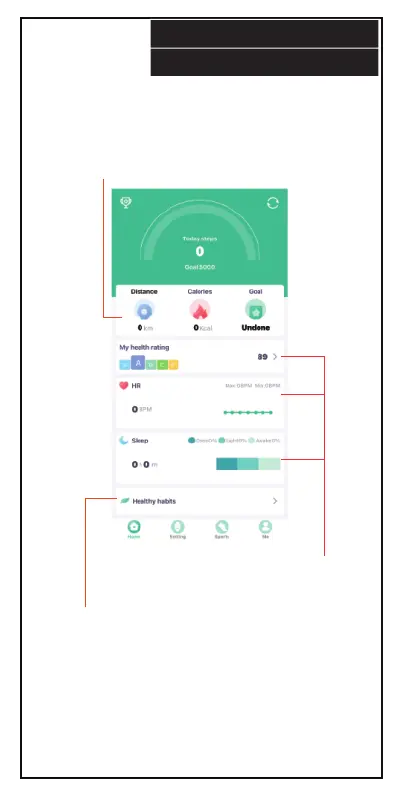
When you open the FitPro software
application, the main activity panel will
appear, showing your distance traveled,
calories and goal status for the day.
Press each panel to
get a health rating,
blood pressure or
sleep measurements.
Press the “Healthy habits”
panel to manage and keep
track of your healthy habits.
Disclaimer:
App is not a substitute for medical or health advice. For
medical and health advice seek a medical professional.


 To Next Page